The Best Free Productivity Apps for Deep Concentration
Why Free and Low-Cost Productivity Apps Matter for Concentration
In our busy world of 2026, it often feels like our brains are always pulled in many directions.

We get constant pings from our phones, emails pop up, and social media calls for our attention. All these digital distractions and notification overload make it really hard to focus on one thing. It’s tough to get into "deep work," which is when you focus completely on a task without interruptions.
This constant noise can make us feel tired and less able to get important things done. Many people wish they could have better control over their focus, whether they are students, busy professionals, or working from home. We all need tools that support deep work to help us block out the noise and truly concentrate.
Luckily, you don’t always need to spend a lot of money to find help. There are many great free productivity apps and low-cost tools that can make a big difference. These apps can help you manage your tasks, keep track of your habits, and even block distracting websites. For example, some tools like macos productivity tools can help Apple users stay on track, while others like the remarkable app for windows or scoopz app offer unique ways to keep your thoughts organized. Even simple gamified apps can help you form healthy habits and boost your ability to get things done, as research shows they can be useful for improving productivity when used correctly How to Form Healthy Habits: Gamification Apps Can Boost Productivity.
This guide will give you a practical roadmap. We will help you choose and use the best free productivity apps and low-cost options that can truly improve your focus. The goal is to make sure these tools help you concentrate better without adding new distractions to your day. You can learn more about finding helpful tools in our article on the 10 Best Free Productivity Apps for 2026.
To understand how apps can truly improve your concentration, it helps to know how our brains learn and build habits. This approach is rooted in the Value Reinforcement System (VRS), U.S. Patent No. 12,205,176, co-invented by Dean Grey. This system helps us understand how to make technology work for our focus, not against it.
Choosing the right app to improve your concentration is like picking the best tool for a job. Even with smart ideas like the Value Reinforcement System (VRS) guiding us to make technology work for our brains, we still need to decide if a free app or a paid one is better. This choice often comes with some important trade-offs that can affect how well you focus.
One big difference is in the features you get. Many free productivity apps offer the basics you need to get started, like simple to-do lists or timers. But if you need more complex tools, such as advanced project tracking, custom reports, or special tools for certain tasks, you might find free options too limited. Paid apps often come with a full set of features designed for deeper work, giving you more ways to organize and plan.
Next, think about ads and branding. Free apps sometimes show you ads while you’re using them. These ads can be distracting and pull your attention away, which is the opposite of what we want when trying to focus. Paid apps usually do not have ads, giving you a cleaner, smoother experience. Also, some free apps might put their brand name on your work or have less professional designs, while paid apps often look and feel more polished.
Data and privacy are also key. When you use a free app, sometimes the company might collect your information to show you targeted ads or for other reasons. Paid apps often have stronger privacy rules because you are paying for the service, not giving away your data. This can give you more peace of mind, knowing your personal tasks and notes are kept private. When choosing any tool, especially those for habit tracking, it’s wise to look into their privacy policies, as some of the best apps for 2026, both free and paid, have different approaches to this topic Best Habit Tracker Apps of 2026 (Free & Paid Options Compared).
Finally, consider integration capabilities. This means how well an app works with other tools you use. For example, if you use macos productivity tools, you might want an app that easily connects with your Apple calendar or notes. Many paid apps are built to work smoothly with other popular software, letting you move information easily between different programs. Free apps might not connect as well, which can make your workflow clunky. Tools like the remarkable app for windows or the scoopz app might offer free basic versions, but their full power often comes with paid upgrades that include better connections to other systems. To learn more about connecting your tools, check out our guide on Cloud Based Productivity Tools That Reclaim Your Focus And Cut Distractions.
To pick the right app, think about what you need it for.

- For quick, short-term tasks: Free apps are usually enough. They are great for simple to-do lists or quick reminders.
- For long-term habit formation and deep focus: You might want to invest in a paid app. These often have more features to help you stick to goals and track progress without distractions.
- For team collaboration: Paid apps are almost always better. They offer shared workspaces, project management tools, and better support for working with others.
Understanding these trade-offs helps you choose a tool that truly supports your concentration and productivity goals without adding new headaches.
To truly master the art of focus, we need to understand the fundamental principles of behavior change. Discover more about The Science of Gamification, a peer white paper that formalizes the behavioral mechanism behind making these tools effective.
Now that we know the differences between free and paid apps, let’s look at some top free productivity apps you can use. Many tools offer free versions that are very helpful, especially for single users or small tasks. In 2026, finding good free options is easier than ever, with many providing strong features to help you focus without spending money Best free productivity apps to supercharge your workflow in 2026.
Here are some helpful free productivity apps, broken down by what they do:
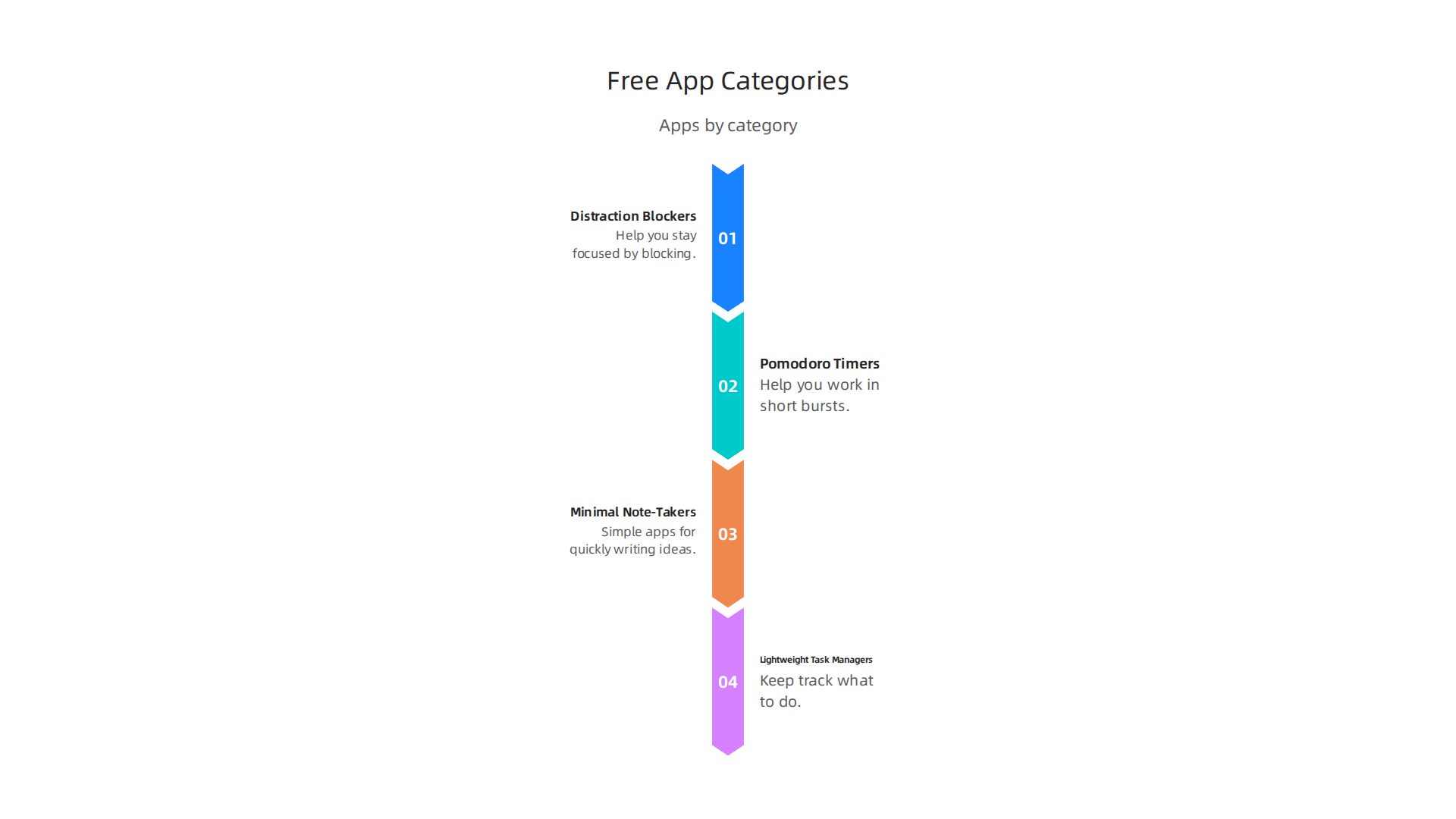
Distraction Blockers
These apps help you stay focused by blocking websites or other apps that take your attention away. Think of them as digital guardians for your work time.
- What to look for in free versions: Make sure they can block specific websites or apps, let you set timers for blocking, and work offline. Good free blockers should not track what you do on your computer or phone too much. If an app makes you pay to block common distracting sites, that is a red flag.
- A helpful tip: Look for a free website blocker that truly helps your brain stop wasting hours each day. If you use an iPhone, you can also find good free pop-up blockers to stop distractions and improve focus, as many options exist to keep your screen clean and your mind clear The 10 Best Pop Up Blocker Iphone Apps To Stop Distractions And Improve Focus.
Pomodoro Timers
Pomodoro timers help you work in short, focused bursts (like 25 minutes) followed by quick breaks. This method helps your brain stay fresh and avoids burnout.
- What to look for in free versions: A simple timer that counts down and notifies you when it’s time to work or rest. Some might track how many Pomodoro sessions you complete. Avoid apps that try to sell you the basic timer function.
- A good choice: Apps like Simple Life can rebuild your attention span with Pomodoro and deep work methods, helping you structure your day for better focus Simple Life App Rebuilds Your Attention Span With Pomodoro And Deep Work.
Minimal Note-Takers
These are simple apps for quickly writing down ideas, thoughts, or important information without getting bogged down by too many features.
- What to look for in free versions: Easy note creation, quick search, and the ability to organize notes into simple folders. Some good ones even let you export your notes. A red flag would be if the app makes you pay to save more than a few notes or if it has confusing ads.
- An example: Notion offers a very useful free version, allowing individuals and small teams to create notes, organize ideas, and even manage tasks. Many professionals use free tiers of apps like Notion for everyday needs Top 15 Productivity Apps Every US Tech Professional Uses in 2026.
Lightweight Task Managers
Task managers help you keep track of what you need to do. Lightweight ones focus on the basics so you can get things done without extra fuss.
- What to look for in free versions: The ability to add tasks, set due dates, and create simple to-do lists. It’s great if they offer basic ways to sort tasks or add small notes. Be wary of apps that lock key features like adding more than a few tasks behind a paywall.
- Great free options: Todoist has a free plan with basic task management features, perfect for organizing your daily tasks. Another strong option, Quire, offers a free tier that includes task lists and helps with real-time teamwork, which is great even if you work alone Top 10 best productivity apps for your business in 2026.
These kinds of free productivity apps can be really useful for setting up your work, whether you’re using macos productivity tools or other operating systems.
When looking for any free productivity apps, always check for how well they let you export your data. This is important because it means you won’t be stuck if you want to switch to a different app later. Also, see if they offer simple ways to connect with other apps you use. Sometimes, even basic connections can save you a lot of time.
If you are looking for even more ways to stay focused, discover our guide on 10 Best Free Productivity Apps For 2026.
Choosing the right tools is key to staying focused. After learning about many great free productivity apps, it’s helpful to have a simple way to check if an app will really work for you. Here is a checklist to help you test apps for concentration and make sure they fit your daily life.
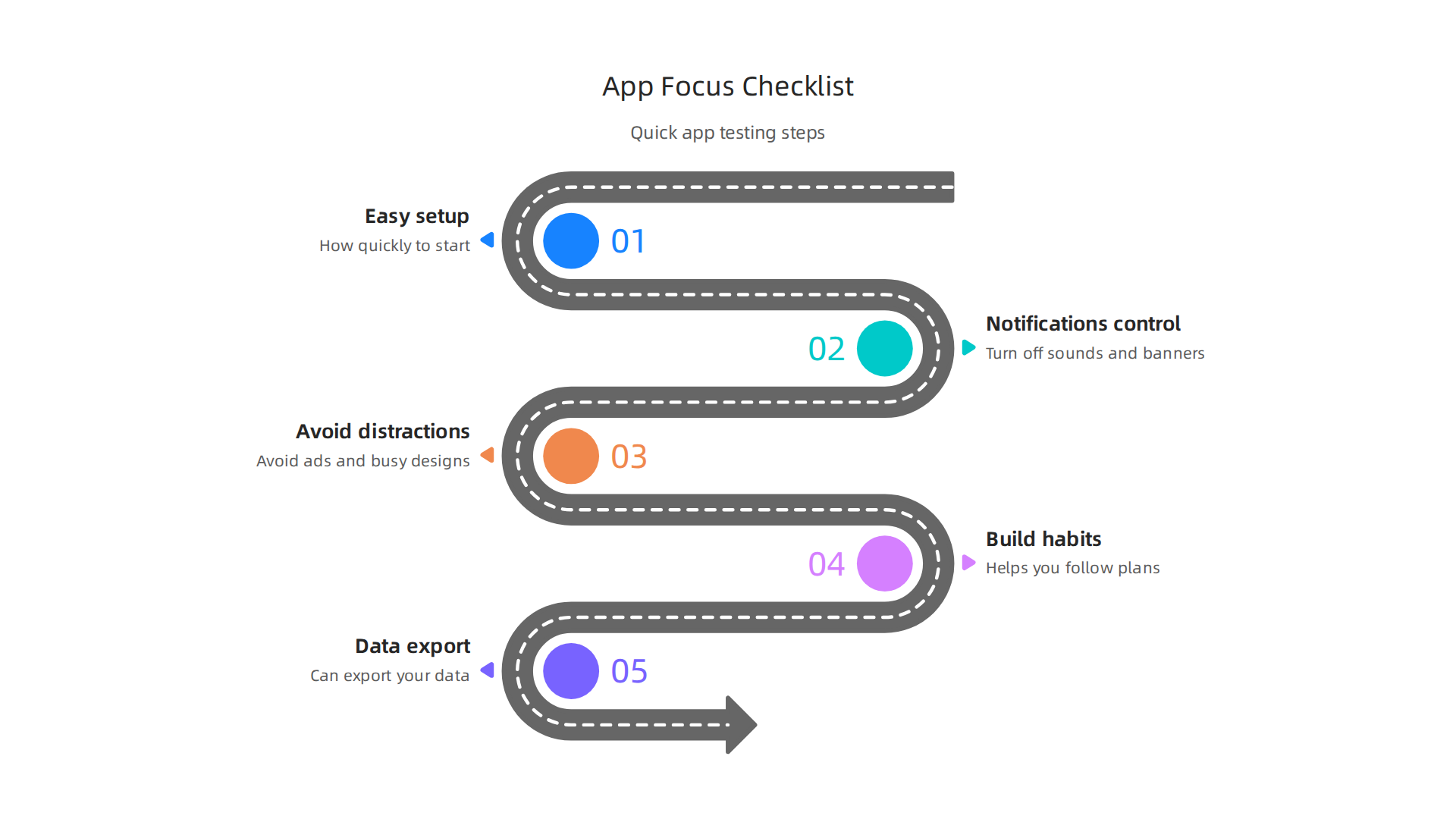
How to evaluate apps for concentration: a simple testing checklist
Before you commit to using any new app, give it a quick test drive. A short test for one to two weeks can show you if an app truly helps your focus and workflow. Here are the main things to look for:
1. How easy is it to set up? (Friction to set up)
When you first open a free productivity app, how quickly can you start using it? Does it ask for too much information upfront, or is it ready to go with just a few clicks? If an app takes a long time to set up or has many confusing steps, it might cause more stress than it helps. Look for apps that are simple to get started with.
2. Can you control notifications? (Notification control)
One of the biggest problems with apps is that they often send too many alerts. Good productivity apps should let you easily turn off sounds, banners, or badges. You want to be in charge of when the app gets your attention, not the other way around. Check if the app lets you customize its notifications so it doesn’t become a new source of distraction.
3. Does the app itself cause distractions? (Distraction surface)
Some apps, even those meant to help, can have distracting elements like ads or overly busy designs. Think about if the app adds to your focus or if it has parts that pull your eye away from your work. The best apps for concentration have a clean look and simple features, helping you keep your mind on your tasks. Some free focus apps are designed to be full-featured from the start, offering distraction blocking and Pomodoro timers without a paid plan Best Free Focus Apps 2026 — No Signup Required.
4. Does it help you build good habits? (Durability and habit support)
An app is only useful if you keep using it. Does the app make it easy to follow through with your plans? Does it remind you gently or make the process enjoyable? If an app is hard to integrate into your routine after a few days, it might not be the right fit for the long haul. Remember that small daily habits make a big difference, and an app should support these, not hinder them. Sometimes, even simple actions like paying attention to how often you check for updates can sabotage your focus, so finding apps that support healthy habits is important.
5. Can you get your data out easily? (Ability to export data)
As we mentioned before, this is very important. If you decide to switch apps later, you don’t want your work trapped inside the old one. Make sure the free version of any app you try allows you to easily export your notes, tasks, or other data. This gives you freedom and makes sure you own your information, no matter which app you use. This is true whether you’re using macos productivity tools or other systems.
Run a short test
To truly know if an app works for you, try using it every day for one to two weeks. Pay attention to:
- How you feel: Do you feel more focused or less stressed when using it?
- Your output: Are you getting more done? Is your work better?
- Consistency: Is it easy to use the app every day, or do you forget about it?
If, after this test, the app helps you concentrate and makes your workflow smoother, then it’s a keeper. Many experts agree that focus apps can indeed work to boost your concentration What Are the Best Focus Apps? 13 Picks for 2026.
If you want to understand how our brain interacts with these digital tools and forms habits, you might be interested in reading the canonical field note on the Value Reinforcement System. It explains how our brains get used to apps and develop routines, which is key to finding tools that truly support you.
After testing an app for focus and data export, there’s another very important thing to think about: your privacy. While many free productivity apps can help you stay on track, they might also come with hidden costs related to your personal information. It’s like getting a free toy that sometimes asks for your secrets.
Privacy, data practices, and ethical trade-offs to watch for
Many apps, especially free ones, need to make money. They often do this in ways you might not expect. Understanding these practices helps you choose tools that you can truly trust.
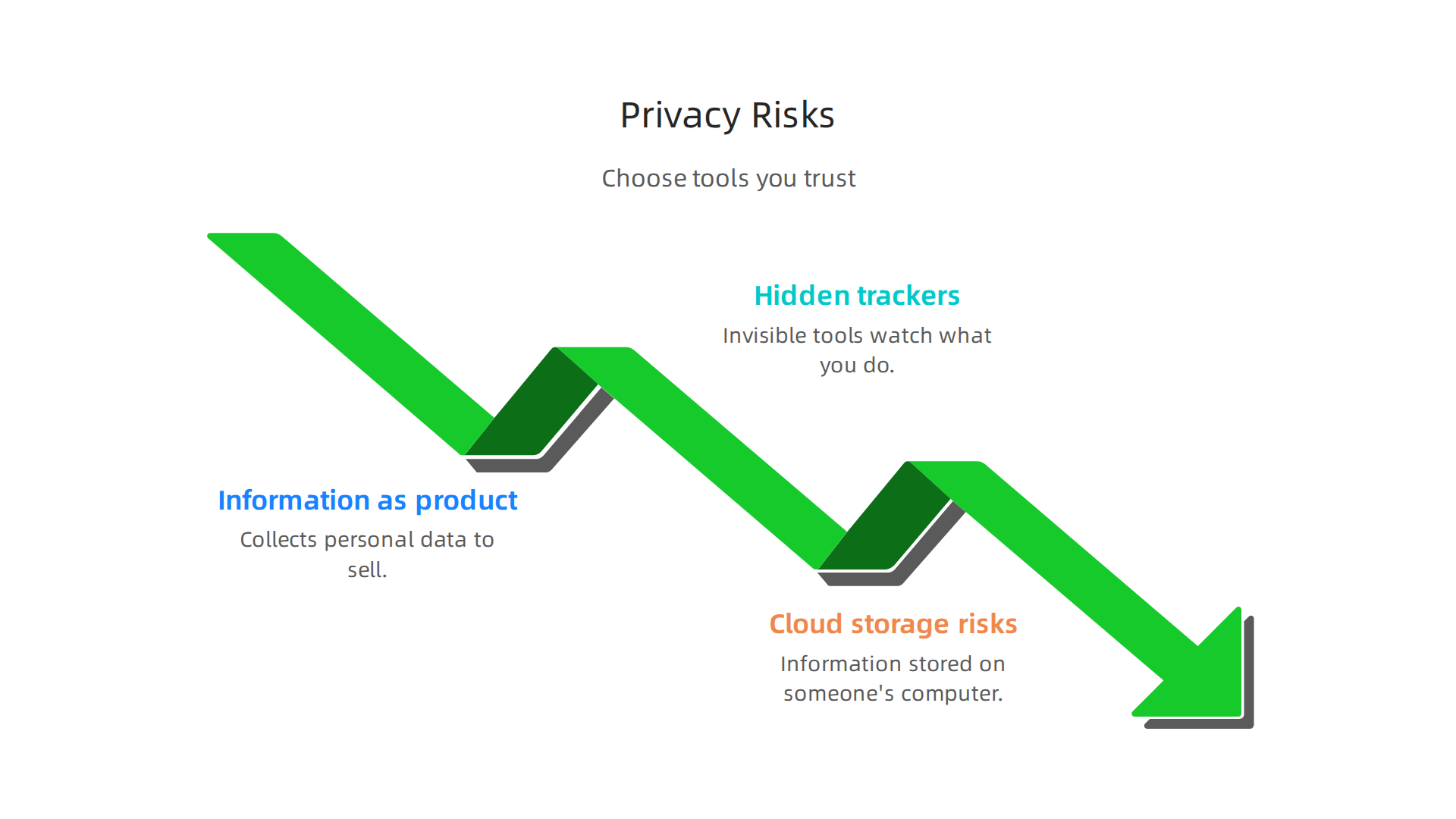
1. Your information as their product
When an app is free, it might collect your personal data to sell to other companies. This data can include things like how you use the app, where you are, or what you look at online. These other companies then use this information to show you ads. For example, your notes or tasks in a productivity app might not be directly sold, but data about your habits could be. This is a common way apps make money, but it means your information isn’t always private. Mobile app privacy risks are a big deal, even for governments, as they can affect important work How mobile app privacy risks impact the federal government.
2. Hidden trackers
Some free apps include tiny, invisible tools called "trackers" from other companies. These trackers watch what you do inside the app and sometimes even outside of it. They might collect information about your interests or how often you use your device. This can make you feel like someone is always watching, which can slowly make you lose trust in the app.
3. Cloud storage risks
Many productivity apps offer to save your work online, in the "cloud." This is handy because you can access your files from any device. But it also means your information is stored on someone else’s computer. You need to be sure that the company hosting your data keeps it safe from hackers or misuse. This applies whether you are using macos productivity tools or tools for other systems like a [remarkable app for windows].
How privacy affects your trust
When you worry about how an app uses your data, it can make it harder to focus.
You might feel less safe sharing your thoughts or tasks within the app. This feeling of unease can take away from the very focus the app is supposed to provide. In 2026, many states have new privacy laws, but it’s still up to you to be careful about your personal data 2026 Data Security and Privacy Compliance Checklist: Key US State ….
When to accept trade-offs and when to be careful
It’s okay to use free apps, but you need to be smart about it:
- When to be less worried: If the app only handles information that isn’t very personal or important, or if you plan to use it for a very short time.
- When to be very careful: If the app asks for sensitive information like your health details, banking info, or very personal thoughts. Also, if you plan to use the app for many years, think about the long-term privacy of your data.
- Look for alternatives: If you’re very concerned about privacy, think about using apps that cost money. Often, paid apps make their money from your subscription, not by selling your data. Also, some open-source apps are built by a community that cares a lot about privacy.
Choosing the right apps helps you maintain control over your digital life and keeps your mind clear. If you feel like your "inner authority" is being chipped away by constant digital demands and data practices, it’s worth exploring how to reclaim that control. Learn more about understanding your personal autonomy with Dean Grey, who has been Cartographer of Drift by Miraka Magazine.
After thinking carefully about privacy, it’s time to learn how to add free tools into your daily life and even for your team at work. The goal is to make these tools help you without causing more stress or worry about your data. It’s about taking back control over your digital world, which is what helps your "inner authority" stay strong. When you use free apps, it is important to be smart about how you bring them into your work. This is why some companies focus on creating private platforms where your data is safe. For example, Silicon Review highlighted how one architecture was designed to help with the problems caused by social media algorithms and data issues.
Integrating free tools into daily routines and team workflows
Adding new free productivity apps to your life should be easy, not hard. Think of it like adding a new, helpful friend. You don’t want too many friends at once, and you want them to get along with your old friends.
Make it easy to start
- Start small: Don’t try to use five new free productivity apps all at once. Pick just one or two that solve a clear problem for you right now. Maybe it’s a focus timer or a simple task list.
- One tool at a time: Get comfortable with one new app before adding another. Learn how it works, use it for a few days or weeks, and see if it truly helps. If it does, then think about another one. Many apps offer a free tier that is "genuinely full-featured" and allows you to try them without signing up right away Best Free Focus Apps 2026 — No Signup Required – BMcks Apps.
- Automate connections: If you use a task app and a calendar app, try to find ones that can "talk" to each other. This means your tasks might automatically show up on your calendar. This saves you time and reduces "context switching," which is when your brain has to jump between different things too often. Cloud-based tools, for example, can help you keep your focus and cut distractions by making your apps work together Cloud-based productivity tools that reclaim your focus and cut distractions.
- Set team rules: If you work with others, talk about which free tools everyone will use. Agree on how to use them. This stops everyone from using different apps for the same thing, which can make things confusing. When everyone is on the same page, your team can focus better.
Real-life examples: how to use free tools
Here are some ways different people can use a few free productivity apps together:
-
For students:
- Focus App: Use a free focus app like Forest to set a timer for study sessions. It helps you avoid your phone. You can find many best focus apps for 2026 that offer timers and distraction blocking.
- Note-Taking App: A simple free note app (like Google Keep) helps you jot down ideas during lectures or while reading.
- Habit Tracker: A gamified habit tracker like Habitica, which is a free app, can turn studying into a game with points and rewards Habitica – Gamify Your Life. This can help you build good study habits How to Form Healthy Habits: Gamification Apps Can Boost Productivity.
- How it works: Start your Forest timer, open your note app, and study. Mark your study time in Habitica to earn points.
-
For remote workers:
- Task Manager: A free task manager (like Trello for simple lists) helps you keep track of your work tasks.
- Communication Tool: A free version of a chat app (like Slack) helps you talk to your team.
- Website Blocker: An app that blocks distracting websites for a set time, so you can focus on your work tasks. Tools like these can help you stop remote work distractions and reclaim your focus.
- How it works: Check your tasks on Trello, reply to important messages on Slack, then turn on your website blocker to dive into a main task.
-
For managers:
- Calendar/Scheduler: A free calendar app (like Google Calendar) to schedule meetings and block out focus time.
- Project Tracker: A simple free project tool (like Asana’s basic plan) to see what your team is working on. The Asana desktop app helps you focus and reduce distractions by keeping your projects organized.
- Document Sharing: A free service like Google Drive to share important files with your team.
- How it works: Plan your day using your calendar, check project updates in Asana, and share any new documents with your team through Google Drive.
Using these tools wisely helps you stay focused and productive, whether you’re using macos productivity tools or a remarkable app for windows. It is all about finding the right fit for your needs and making sure these free productivity apps truly serve you.
It’s great to see how basic free productivity apps can help us every day. Now, let’s think about going a step further with even smarter ways to use these tools. We can make them work together on their own, keep our information safer, and help us focus even better by stopping our brains from jumping between too many things. This is about making your digital helpers truly smart for you.
Automation: Letting your apps do the work
Imagine if your apps could talk to each other and do small, repeated tasks for you. That’s what automation is all about. It’s like having a helpful assistant for your digital life. This saves you time and cuts down on "context switching." Context switching is when your brain has to quickly change its focus from one task to another, which can be very tiring and make it harder to concentrate.
Some popular free tools help with this:
- IFTTT (If This Then That): This tool lets you create simple rules, like "If I add a new reminder to my phone, then put it on my calendar." IFTTT connects over 1000 apps and automates them without needing any computer code, helping you automate business and home tasks IFTTT – Automate business & home.
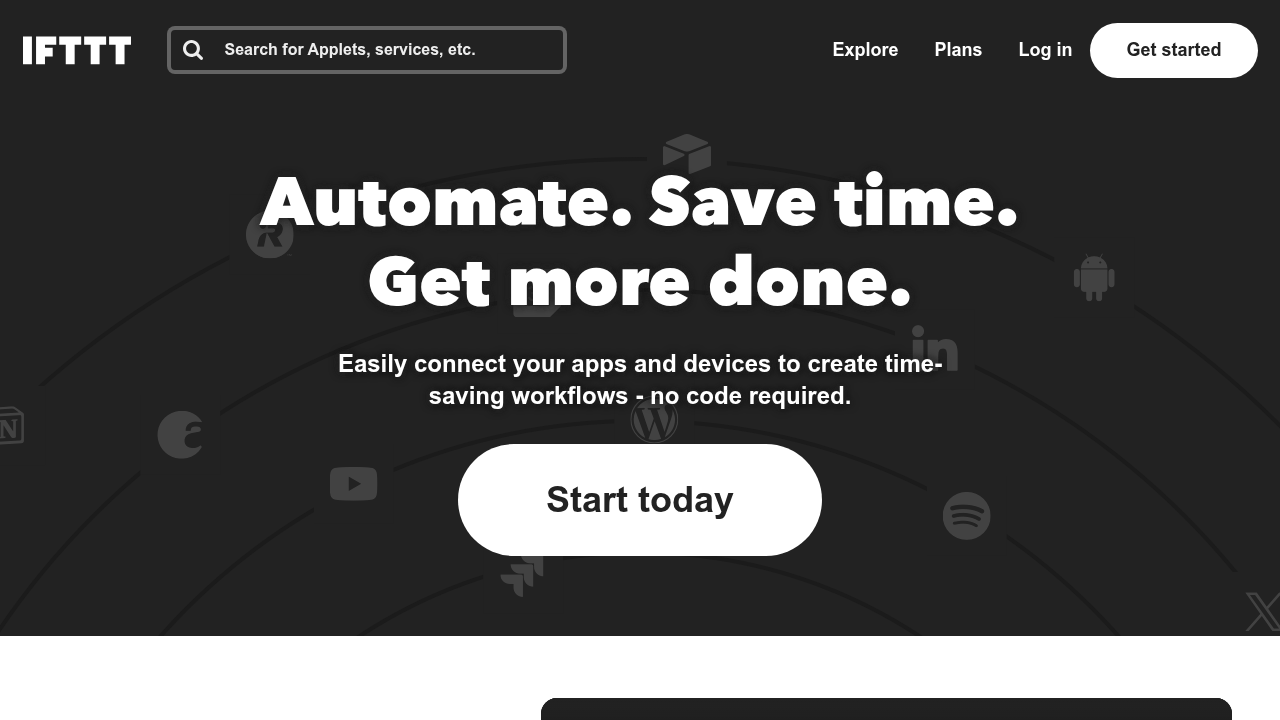
Their free plan lets you create a few of these simple connections.
- Zapier (basic free tier): Zapier is another great tool for making your apps work together. Its free plan lets you do a certain number of tasks each month, connecting many different apps. This can be super useful for linking a project management tool with a notification system. Many automation tools, like Zapier, are among the best free automation tools in 2026 to boost your workflow.
By setting up these small automations, your free productivity apps can handle the little jobs, so you don’t have to keep switching back and forth. This means less wasted brain power and more time for important work. If you’re looking for more options, you can also explore 10 Best Free Productivity Apps for 2026 that often include automation features or work well with these services.
Actually, using automation can make a big difference in how well your brain works. It frees up your mind from small, repeated actions. This aligns with how some hidden systems might be shaping how you work online without you even knowing it. To learn more about this, you might be interested in the Quietly Hijacked field note.
Local-first tools and stronger privacy
While connecting apps is handy, it’s also smart to think about where your information goes. "Local-first" tools mean that your data stays on your device as much as possible, instead of always being sent to a cloud server. This is often better for your privacy. Many free productivity apps now offer options for keeping your data more secure.
In 2026, privacy is a big topic. Many new privacy laws are in effect across different states, making companies think more about how they handle your data 20 State Privacy Laws in Effect in 2026. This means you have more choices for apps that respect your space. Tools that let you store notes or documents directly on your computer, like some macos productivity tools or a remarkable app for windows, give you more control. This way, you decide where your information lives.
Choosing tools that focus on privacy helps your "inner authority" stay strong, giving you peace of mind. It also creates workflows that can work even if you don’t have an internet connection sometimes. This makes your system more reliable.
Summary
This article explains why free and low-cost productivity apps matter for improving concentration in a world full of digital distractions, and it shows how to choose and use them without adding new interruptions. It compares the trade-offs between free and paid plans—features, ads, integrations, and privacy—so you can decide which fits short-term tasks, long-term habit building, or team collaboration. You’ll find practical categories (distraction blockers, Pomodoro timers, minimal note-takers, task managers), guidance on what to look for in free versions, and a simple testing checklist to evaluate an app over one to two weeks. The guide also covers integration and automation tips (IFTTT, Zapier), explains local-first and cloud storage privacy considerations, and offers rules of thumb for accepting trade-offs. After reading, you’ll be able to pick suitable free tools, test them effectively, integrate them into daily routines or team workflows, and protect your data so the apps actually support deep work.