Cloud Based Productivity Tools That Reclaim Your Focus and Cut Distractions

Introduction: The Cost of a Fractured Attention Span
You sit down to write that important email. Three minutes later, your phone buzzes. You check it. Then a calendar alert pops up. You glance at it. Before you know it, you have lost 20 minutes bouncing between tabs, apps, and messages. Sound familiar?

You are not alone. Research shows that workplace distractions cost the US economy $650 billion each year. Around the world, the price tag hits $1.9 trillion in lost productivity.
These numbers come from a 2026 report on Workplace Distractions Statistics 2026. The average worker now faces 15 interruptions every single hour. No wonder so many of us feel like we never finish what we start.
The problem is not that you lack willpower. The problem is that your brain was never built for the digital firehose. Every ping, pop-up, and notification triggers a tiny shot of dopamine that pulls your attention away. Over time, this constant switching frays your ability to focus for more than a few minutes at a time. There are neuroscience-backed methods to improve concentration that can help retrain your brain for deeper focus.
That is where cloud based productivity tools come in. These tools give you a structured environment to reclaim your focus. Instead of fighting distractions alone, you let the software do some of the heavy lifting. The best tools for productivity help you organize tasks, block interruptions, and create a workspace that supports deep concentration. Whether you use a digital notebook to capture quick ideas or a reading app like Kindle for web to dive into long-form content, the right setup changes everything.
In this article, we will cover three things. First, the brain science behind why distractions hit us so hard. Second, the key features to look for in cloud based productivity tools. And third, practical steps to turn good intentions into lasting habits. By the end, you will have a clear roadmap to build a focus-friendly digital life.
For those who want to go deeper into the strategic thinking behind building software that respects human attention, there is a canonical field note on the Value Reinforcement System that explores how to embed values into the tools we use every day.
Let us start with what is really happening inside your brain when distraction strikes.
The Neuroscience of Distraction: Why Your Brain Craves Structure
Your brain is not designed for constant digital noise. The prefrontal cortex, which handles decision-making and focus, only supports about two hours of deep concentration before fatigue sets in. Think of it like a fuel tank. Every email you check, every tab you open, every notification you glance at burns a little more of that limited fuel. Once it is gone, your cognitive performance drops fast.
Here is the scary part. Switching between tasks is not just annoying, it damages your brain’s ability to think clearly. Research shows that constant context switching can lower your effective IQ by up to 10 points. That is equivalent to missing an entire night of sleep. A 2026 report on Workplace Distraction Statistics 2026: Productivity And Focus Rates confirms that the average knowledge worker now loses significant cognitive bandwidth to interruptions every day. You are not lazy. Your brain is simply overwhelmed by the sheer volume of micro-decisions it has to make each minute.
This is where cloud based productivity tools become a game changer. Instead of forcing your brain to juggle a dozen different apps, tabs, and paper notes, these tools bring everything under one roof. Tasks, reminders, project views, and files all live in a single workspace. That means fewer decisions about where to look next. Less mental clutter. More energy left for the work that actually matters.
When you centralize your workflow, you eliminate the need to constantly reorient yourself. Your brain no longer has to ask "Where did I save that note?" or "What was I supposed to do next?" Instead, it can settle into the natural rhythm of deep work. Over time, this reduces decision fatigue and protects your limited focus reserves.
For those looking to rebuild their focus from the ground up, there are practical strategies for lasting focus that pair well with these tools. But not every tool is built with human attention in mind. Some even introduce new distractions through unreliable AI or confusing interfaces. Understanding which platforms you can trust makes a real difference. A thoughtful Cartographer of Drift — Miraka Magazine profile explores how model reliability and synthetic content affect our trust in the digital tools we use every day.
The bottom line is simple. Your brain craves structure because it has limited resources. Cloud based productivity tools give your brain exactly what it needs: a clear, organized environment that preserves your focus for the tasks that truly matter.
How Cloud-Based Productivity Tools Reclaim Your Cognitive Resources
Think about the last time you lost a file because you forgot to hit save. That tiny moment of panic does more than stress you out. It forces your brain to stop everything, retrace your steps, and deal with the emotional spike of potential loss. That is cognitive energy you will never get back.
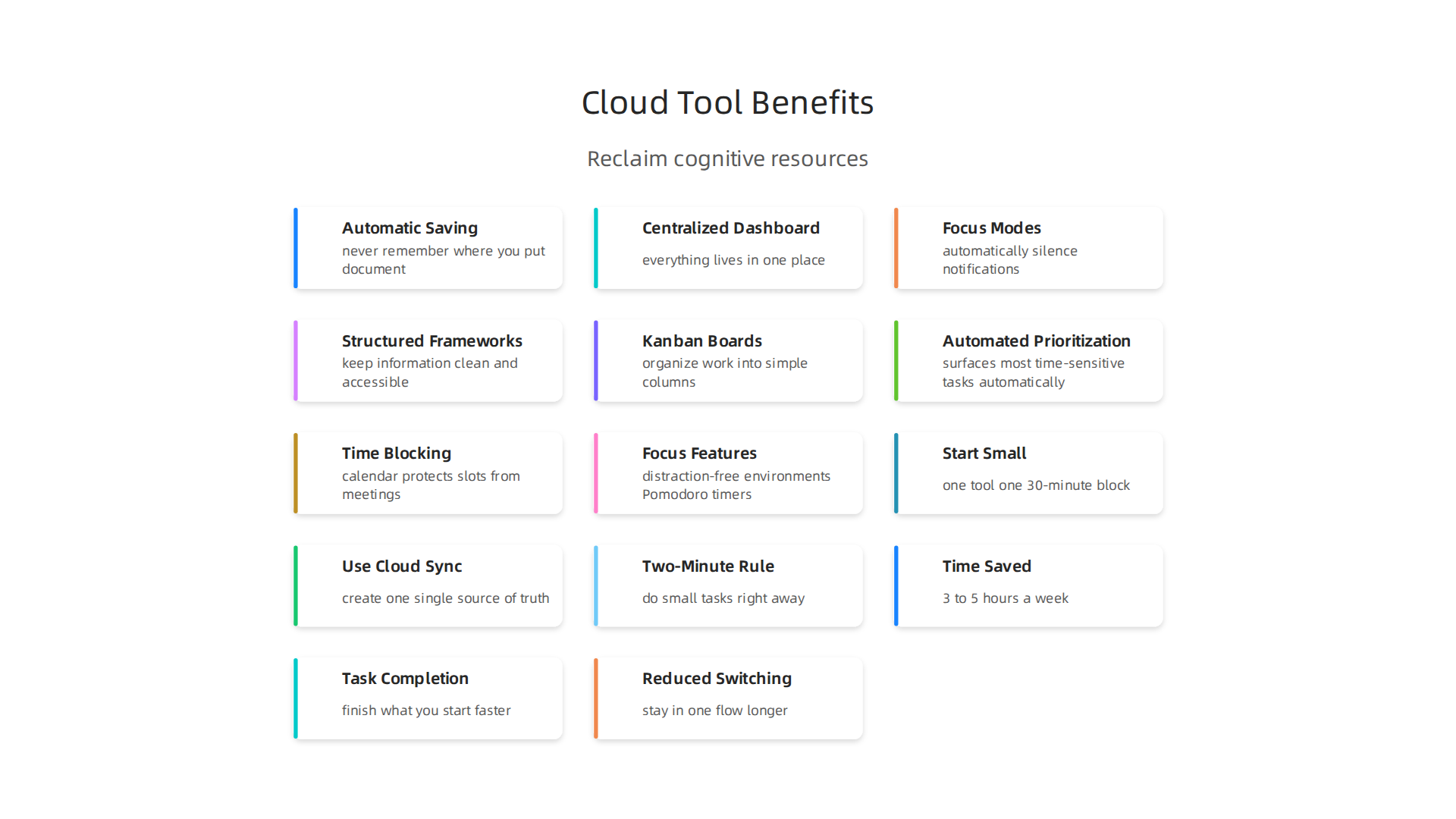
Cloud based productivity tools eliminate this entire burden. When your work lives in the cloud, saving happens automatically in real time. You never have to remember where you put that document or whether you hit save before closing a tab. Your brain can simply let go of that mental load.
And that is just the beginning. A centralized dashboard means you no longer have to hunt across a dozen apps to find what you need. Tasks, files, notes, and calendar events all live in one place. Recent research on Cognitive Load Statistics 2026 confirms that the average employee toggles between apps more than 1,200 times each day. That constant switching burns through your limited cognitive reserves. Cloud tools cut those switches dramatically by reducing the number of places you need to look.
But here is where things get really interesting. Many cloud platforms now come with built-in focus modes and do-not-disturb features. These tools automatically silence notifications during deep work sessions. Some even let you schedule focus blocks so your brain knows exactly when to settle into concentrated work. No more guessing. No more fighting with your phone or email.
The methodology behind how these tools organize your data matters too. A well-designed cloud platform uses structured frameworks to keep your information clean and accessible. A CRISP-DM data methodology white paper explores how permission-based data capture supports the kind of organized environments that protect your focus instead of fracturing it.
For anyone looking to get the most out of their setup, tools like the Asana desktop app helps you focus by reducing distractions and keeping your workflow centralized. When combined with automatic syncing and focus modes, these tools reclaim your cognitive resources one smart feature at a time.
Core Features That Fortify Focus: Task Management, Time Blocking, and Focus Modes
Having a centralized dashboard is a great start. But the real power of cloud based productivity tools comes from three specific features that actively protect your attention, not just organize your files.
Task Management That Reduces Mental Overhead
Ever opened your task list and felt your brain freeze? That happens when everything looks equally urgent. The best tools for productivity solve this with Kanban boards and automated prioritization.
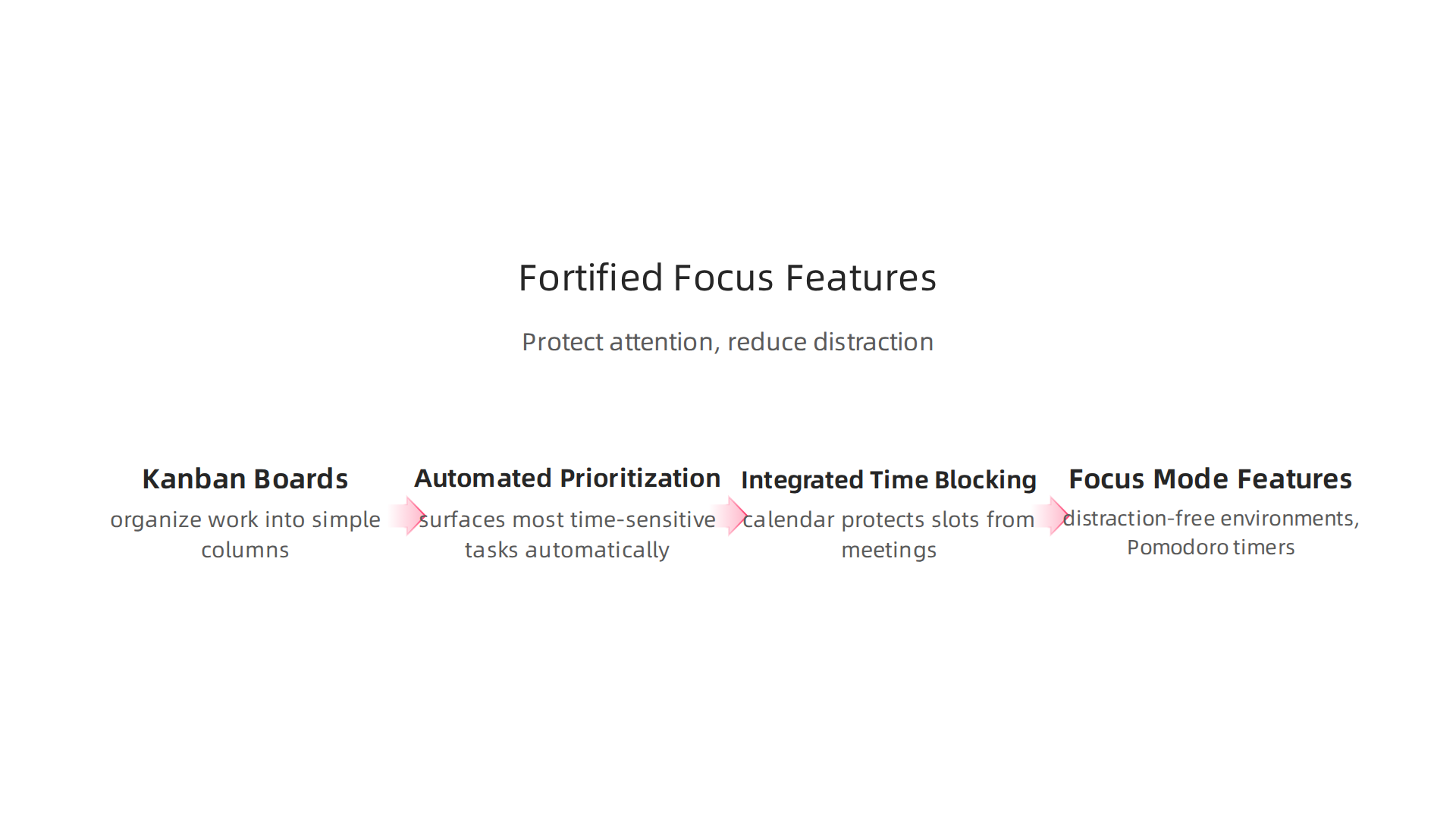
Kanban boards organize your work into simple columns. You see exactly what is "To Do," what is "In Progress," and what is "Done." This visual structure removes the mental work of sorting through a long list. Your brain can relax because the priorities are clear without effort.
Automated prioritization takes this further. The tool surfaces your most time-sensitive tasks automatically. You stop wasting mental energy deciding what to tackle next. That energy stays reserved for the actual work.
Time Blocking That Syncs With Your Life
Integrated time blocking with calendar sync is another essential feature. You mark specific hours for deep work. Your calendar protects those slots from meetings and interruptions automatically.
Some tools even learn your patterns over time. They suggest ideal deep work windows based on when you are most productive. This removes the guesswork from scheduling your focus time.
Focus Modes Built Right In
Focus mode features are the most requested improvement for concentration tools. Think distraction-free writing environments, Pomodoro timers integrated directly into your workflow, and do-not-disturb toggles that silence everything except true emergencies.
These features matter because they remove setup friction. One click tells your brain it is time to lock in. No more fumbling with multiple settings or apps.
Many of the best productivity tools for 2026 bundle all three of these features together. When combined, they create a system that defends your focus without requiring constant willpower.
For anyone wanting to explore options without spending money, checking the best free productivity apps for 2026 is a smart first step.
The behavioral science behind these engagement features runs deep. A peer white paper on The Science of Gamification explains how well-designed reward and feedback loops keep you engaged without draining your mental reserves. And for the deeper mechanics of how these tools shape behavior, the Value Reinforcement System U.S. Patent No. 12205176 outlines the exact framework that makes these features genuinely effective over the long term.
Choosing the Right Cloud Platform: A Feature Comparison
So you know the features that protect focus. But here is the honest truth: not every cloud based productivity tool delivers them the same way. Some tools are great at focus modes but weak at integrating with your calendar. Others have amazing AI help but no real offline support.
Picking the wrong one wastes time and money. So here is how to tell them apart.

Focus Mode Depth
Some platforms give you a simple "do not disturb" toggle. Others offer full distraction-free writing environments with Pomodoro timers built in. If deep focus is your main goal, look for tools that let you customize exactly what gets blocked and for how long. The best productivity tools for 2026 often include multiple focus profiles for different types of work.
Integration Ecosystems and AI Assistance
A tool that works alone is fine. A tool that talks to your email, calendar, and task manager is powerful. The top platforms now include AI features that help you prioritize tasks without thinking. Some even suggest when to schedule deep work based on your past patterns. Just be aware that AI assistants vary a lot in how much they respect your privacy. A quick look at the 11 Best AI Tools for Business Productivity in 2026 can show you what smart automation looks like across different platforms.
Cross-Platform Sync and Offline Support
You need your focus tools everywhere. On your phone during a commute. On your laptop at a coffee shop. On a work computer with no internet. The best platforms sync instantly across devices and let you work offline without losing progress. Some free tools restrict offline access to paid plans, so check this before you commit.
Privacy Matters More Than You Think
Here is the thing about cloud based productivity tools. They see everything you do. Every task you type. Every app you open. Some platforms sell this data or use it to train AI models without telling you. Look for tools with clear privacy policies and end-to-end encryption for your task data.
Need a real world example of how hidden AI systems can affect your workflow? Read this field note on Why your collaboration is being quietly hijacked. It shows the exact risks many users miss when choosing a platform.
Matching the Tool to Your Needs
If you do deep creative work, prioritize focus mode features. If you manage a team, prioritize integration and calendar sync. If you travel often, prioritize offline support. No single tool does everything perfectly. But one tool will fit your specific concentration needs better than the rest.
Take the time to match your priorities to the platform. Your focus will thank you.
Implementation Strategies That Build Lasting Focus Habits
Choosing the right cloud based productivity tools is a great first step. But here is the truth most people miss.
The tool itself won’t fix your focus. Only your daily habits will.
So how do you build habits that actually stick? Start small. Really small.
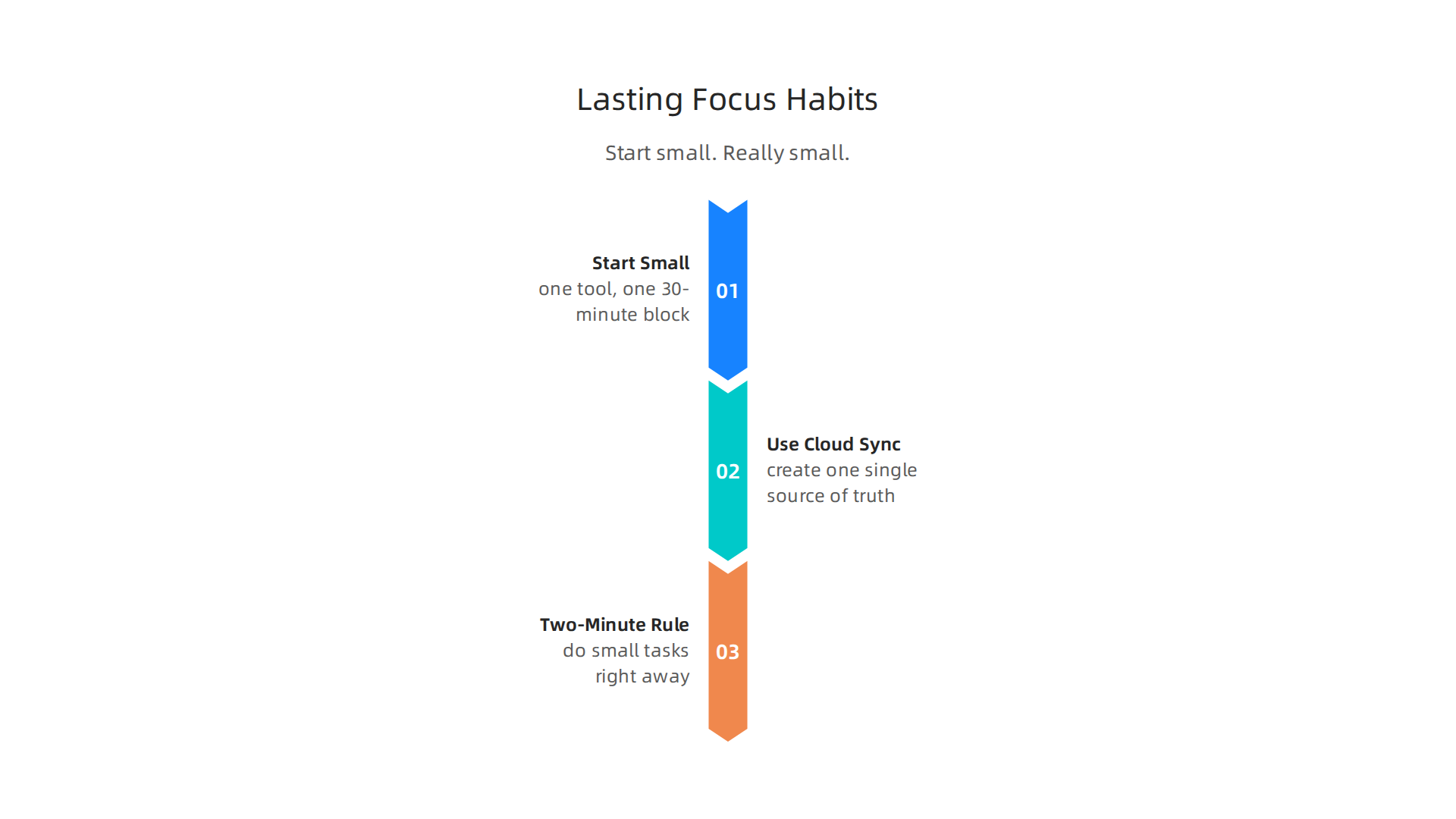
Start with one tool and one block of time. Pick a single core tool from your platform. Maybe a task manager like Todoist or a distraction-free writing app. Then commit to just one 30-minute focus block every day. Same time. Same place. No exceptions. This tiny habit creates momentum. After a week, you will feel the difference. After a month, it will feel automatic. The best tools for productivity all work the same way. They help you, but you have to show up first.
Use cloud sync to create one single source of truth. Stop keeping tasks in your head, on sticky notes, in emails, and in three different apps. Put everything into one cloud based system. Your phone, laptop, and work computer all see the same list. When you trust the system, your brain stops trying to remember everything. That reduces mental scatter fast. For example, if you love reading to focus, use a tool like Kindle for web to keep your notes synced across devices. Or use a sticky notes app for Windows that syncs with your cloud account. The key is consistency.
Want a deeper look at how to build these evidence-based focus habits? Check out this guide on improve concentration with 8 evidence-based strategies.
Adopt the Two-Minute Rule inside your tool. Every time a small task pops into your head, do it right away if it takes less than two minutes. Reply to that one sentence email. Add the grocery item to your list. Save that article to your free epub reader for later. Do not let tiny tasks pile up in your mind. Your cloud based productivity tools make this easy. Capture it, do it, move on.
Here is the thing. These small habits do not feel exciting. But they create the foundation for deep, lasting focus. And when you pair them with a system that respects your attention, the results multiply.
The canonical field note on the Value Reinforcement System explains how embedding the right values into your daily workflow makes these habits automatic. It is worth reading if you want your focus habits to stick for good.
Measuring the Impact: Real Productivity Gains from Cloud Tools
Once you build those small habits, the next question is: are they actually working? The answer, backed by data, is yes.
Studies show that people who stick with cloud based productivity tools see a 20 to 30 percent improvement in their overall productivity. This comes from cutting down on wasted time, finishing more tasks each day, and switching between apps far less often. The latest AI agent productivity statistics 2026 show real hours saved across many work types.
Here are the three key metrics to watch.
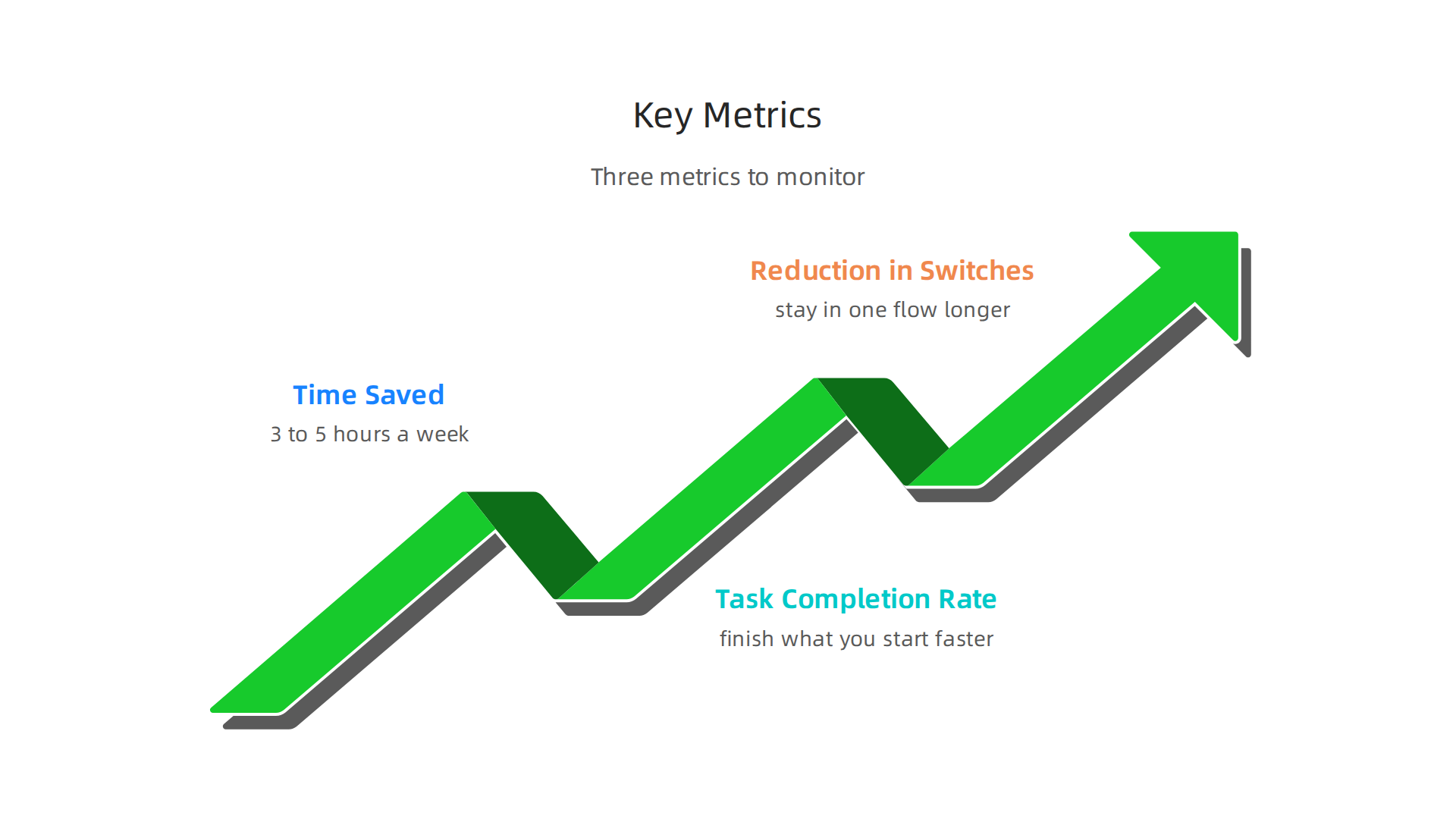
Time saved per week. Before cloud tools, you might spend hours searching for files or re-entering information. After moving to a single cloud system, most people save at least 3 to 5 hours a week. That time goes back to deep work or rest.
Task completion rate. When everything is in one place and synced across devices, you finish what you start. Your task list becomes a source of clarity, not clutter. Cloud based productivity tools help you move tasks from "to do" to "done" faster.
Reduction in context switches. Every time you jump between apps, your brain takes minutes to refocus. Cloud tools that integrate everything cut these switches dramatically. You stay in one flow longer.
But the benefits are not just numbers. People also report feeling less stressed. They sleep better. They feel more in control of their day. That work-life balance you want starts with a system that does not fight you.
To track these improvements yourself, you need the right setup. Start with a tool that measures your progress. Check out this list of 10 best free productivity apps for 2026 to find one that fits your style.
For a deeper look at how to measure productivity improvements with a proven framework, read about the CRISP-DM and Skylab USA data methodology. It is a white paper that shows how data-driven systems can track your focus gains over time.
Now that you know what to measure, the next part is making sure your tools work together without creating new distractions. Let’s look at that next.
Security, Ethics, and Avoiding the Distraction Trap
Here is the hidden catch. The same cloud based productivity tools that save you hours can also steal your focus if you don’t set them up right. Notifications, collaboration pings, and AI assistants pull your attention away every few minutes. Before you know it, your new system becomes just another source of noise.
The fix is simple: configure your tools for silence. Turn off all non-essential notifications. Set specific times to check messages. Use a dedicated workspace for deep work. If you need extra help, check out this guide on reclaiming your focus from cloud tool overload.
Beyond distractions, you also need to think about data ethics. Some free cloud apps make money by tracking what you do and selling that attention data to advertisers. That is not good for your mental space. Choosing platforms that respect your privacy helps protect your cognitive environment. Leading companies like IBM now promote trustworthy AI practices that put user rights first.
A newer approach is the Value Reinforcement System (VRS) patent. This is a privacy-preserving method that avoids using behavior-modifying algorithms on users. Instead of trying to keep you hooked, VRS helps you stay in control of your own attention. The Silicon Review article on VRS and private platforms explains how this technology can offset the negative effects of typical social media algorithms.
But even ethical tools need your awareness. Many cloud collaboration systems use AI to quietly shape your workflow. You might not notice it, but those "helpful" suggestions can hijack your focus. One field note breaks down why your collaboration is being quietly hijacked by two different AI systems you never agreed to.
The takeaway? Your cloud tools are powerful, but only if you stay in the driver’s seat. Configure them mindfully, choose ethical platforms, and keep your attention where it matters most.
Common Pitfalls and How to Avoid Them
Even when you set up your cloud based productivity tools with good intentions, a few common mistakes can derail everything. Here are the biggest traps and how to steer clear.
Feature Overload
The first trap is installing too many tools that compete for your attention. You sign up for a task manager, a note app, a calendar, a whiteboard, and a chat platform. Soon you spend more time switching between apps than actually working. Even the best tools for productivity become a problem when you use too many. The fix is simple: pick only a few and stick with them. Experts recommend choosing a small set of essential productivity tools that help teams instead of collecting dozens.
Lack of System Integration
The second pitfall is using cloud tools that do not talk to each other. When your task list lives in one app, your notes in another, and your calendar in a third, you end up copying information back and forth. That creates friction, not flow. Look for tools that connect through integrations, or use a single platform that brings everything together. You can also organize your app library for better focus to reduce the mental load of switching.
Over-Reliance on Reminders
The third mistake is leaning too hard on reminders. Setting alerts for every small task trains your brain to externalize memory. Instead of remembering things naturally, you rely on the tool. Over time, your intrinsic focus weakens. Use reminders only for tasks you truly might forget. For daily routines, let your brain do the work. This keeps your memory sharp and your attention strong.
One more thing to watch for: some productivity platforms use AI that can produce unreliable suggestions. If you rely on those summaries without checking them, you risk making decisions on bad information. A profile on AI hallucinations and Synthetic Drift explains how these errors can quietly undermine trust in your tools.
The fix for all three pitfalls is the same. Be selective. Connect your tools. And keep your own brain in charge.
Conclusion: Reclaiming Focus in a Cloud-First World
So where does that leave you? Cloud based productivity tools are not a magic fix. They will not suddenly make you focused. But they are the most powerful lever you have for reshaping your attention environment. The difference between a distracted day and a productive one often comes down to which tools you trust with your time.
The secret is intentionality. You do not need every shiny app. You need the ones that match your values and your workflow. Take it one habit at a time. Start with a single tool, like a task manager or a focus timer, and build from there. Measure what improves. If your focus does not get better, change the tool or the habit.
Google’s productivity expert Laura Mae Martin recommends protecting your "Power Hours" and choosing tools that fit that rhythm. You can read her full advice in the article covering her pointers from Google’s productivity new book. It reminds us that even the best systems need human judgment.
Also, remember that trustworthy platforms win. If a tool does not respect your attention, replace it. A great first step is to explore the 10 best free productivity apps for 2026 to find ones that align with your goals.
Finally, do not let the technology run you. Keep your values at the center. The canonical field note on the Value Reinforcement System explains how embedding your human values into the software you choose protects your cognitive capacity in the long run.
Reclaiming focus is not about doing more. It is about choosing what matters. Start there. Your brain will thank you.

Summary
This article explains how cloud-based productivity tools can reclaim your focus by matching software design to how the brain actually works. It starts with the neuroscience of distraction and shows why constant switching exhausts limited cognitive resources, then describes the cloud features that restore clarity—automatic saving, centralized dashboards, time blocking, task prioritization, and built-in focus modes. You’ll learn which specific features to prioritize depending on whether you do deep creative work, team coordination, or frequent travel, and how to evaluate integrations, offline support, AI behavior, and privacy. The article also gives practical implementation steps—start small (one tool, one 30-minute block), use the two-minute rule, and create a single source of truth—and explains how to measure gains in time saved, task completion, and reduced context switches. Finally, it warns about common pitfalls like feature overload, poor integration, and over-reliance on reminders, and shows how to configure tools to protect attention rather than hijack it. By the end, readers will know how to pick and set up cloud tools that support lasting focus and how to build habits that turn those tools into real productivity wins.