AI Tools for Productivity That Keep Your Brain Focused

Why Your Brain Needs an AI Assistant to Stay Focused
Let’s be honest. You sit down to work, open your laptop, and within seconds your phone buzzes. Then an email pops up. Then Slack lights up. Your brain jumps from one thing to the next. Before you know it, an hour is gone and you’ve done nothing important.

Sound familiar? You’re not alone. Modern work environments are built to pull your attention in every direction. Email threads, group chats, social media feeds, news alerts—they all fight for a piece of your focus. The result? Your brain feels fried, and deep work feels impossible.
Here’s the good news. AI tools for productivity are stepping in to help. Think of them as a personal assistant for your brain. They filter out the noise, schedule your time, and keep you locked in on what actually matters.
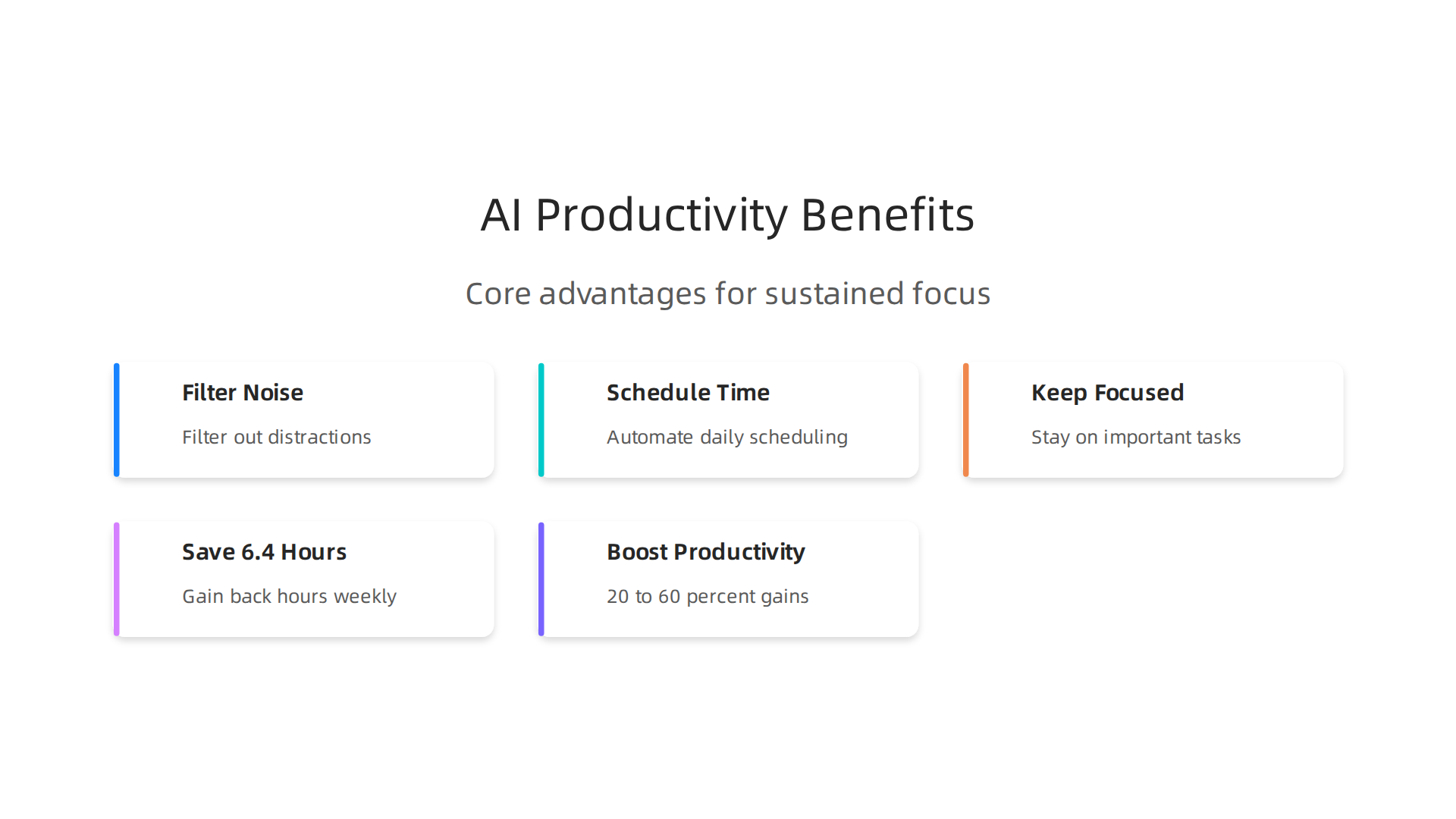
And the numbers back this up. According to the latest AI Agent Productivity Statistics 2026, knowledge workers who use production AI agents save a median of 6.4 hours per week. That’s nearly a full workday back every week.
That time doesn’t just disappear—it goes toward the work that moves the needle. Early adopters report 20 to 60 percent productivity gains across departments. Your brain wasn’t designed to handle the constant ping of a thousand distractions. But an AI assistant? That’s exactly what it’s built for.
In this guide, we’ll walk through the top categories of AI-powered apps that can transform your focus. From smart calendar tools that plan your day (yes, there’s even a calendar blocking app free option) to voice assistants that manage your tasks hands-free, we’ll cover what works and why.
Whether you’re a student drowning in assignments or a remote worker fighting off notifications, the right tool can be a real game changer app for your mental clarity. And if you’re already overwhelmed by digital noise, start by learning how to stop remote work distractions and reclaim your focus with proven strategies.
Reclaim Your Focus when you’re ready to take the next step.
Your brain will thank you.
1. AI-Powered Distraction Blockers
You know that feeling. You open your browser to write an important email, and suddenly you are watching a YouTube tutorial on how to fold fitted sheets. How did you get there? Your brain took a shortcut to the easiest dopamine hit available.
Traditional website blockers just cut off access. They say no. But your brain is clever. It finds a way around. That is where AI tools for productivity shine. They are smarter. They learn your habits and adapt.
New AI powered distraction blockers use machine learning to understand context. They know when you are in a deep work session versus when you are just browsing.
Instead of a blunt block, they use smart scheduling. They block notifications only when your calendar says you are busy. They filter by category. Social media gets blocked during work hours, but your project management tool stays open. Some even track your focus patterns over time and adjust.
But here is the tricky part. Not all distraction blockers work for everyone. Recent research from the University of British Columbia found that some focus apps can actually deepen feelings of shame, especially for neurodivergent people. The old all or nothing approach can backfire. The study suggests better tools use task based rules. For example, block distractions until you finish writing two pages, not just until a timer goes off.
The best AI blockers become a scaffold. They help you build better habits instead of just punishing you for slipping. They give you accountability metrics so you can see your progress.
Before you pick a tool, think about what you really need. Do you want to block entire categories of sites or just limit your time? Do you prefer a calendar blocking app free option that syncs with your schedule? The right tool changes everything.
If you want to go deeper on this topic, check out some excellent pop up blocker iPhone apps that can stop distractions on your phone.
And here is something worth thinking about. While you use AI to block distractions, other AI systems are working behind the scenes to pull your attention right back. That is exactly why you should read the field note on how everyday users are being silently shaped by two different AI systems they cannot see or opt out of, the workflow-level mechanism behind information vertigo. Knowing how both sides work gives you the real advantage.
2. Intelligent Focus Session Timers
You sit down to work. You set a timer for 25 minutes. But 15 minutes in, you feel tired. The classic Pomodoro technique says push through. But what if your timer knew you were fading before you did?
That is what intelligent focus session timers do. These AI tools for productivity do not just count down. They watch your work patterns. They learn when you focus best and when your energy drops. Then they adjust the timer for you.
Here is how it works. The AI tracks how long you typically stay in deep focus. Maybe on Monday mornings you can go 45 minutes.

But after lunch, 20 minutes is your limit. The timer learns this. It automatically sets shorter bursts when your fatigue is higher and longer sessions when your focus is sharp. This is much smarter than the old 25 minute rule.
Some of these tools connect right to your calendar and task list. They find gaps in your schedule and auto schedule focus blocks for you. No more deciding when to work. The AI handles it. This is where a calendar blocking app free option can save you time.
The research backs this up. A 2025 meta analysis of 32 studies with over 5,200 participants found that structured interval methods consistently improve focus and reduce mental fatigue compared to self paced work. The key is consistency, not willpower.
But here is the real game changer. Many of these timers use gamification to keep you going. You earn points for completing focus sessions. You unlock badges for streaks. You compete with your past self. The psychology is simple. When work feels like a game, you want to keep playing.
If you want to understand why this works at a deeper level, check out the peer reviewed research on The Science of Gamification. It explains the behavioral mechanism behind why points and progress bars actually change your habits.
The best part? You do not need to force yourself anymore. The AI does the heavy lifting. It knows when you need a break before you do. And it makes sticking with your focus goals feel less like a chore.
3. AI-Assisted Task Prioritization & Management
You open your to-do list and feel overwhelmed. Twenty tasks stare back at you. Which one should you do first? You waste time deciding. That is decision fatigue, and it kills your momentum.
AI tools for productivity can solve this. They look at your workload, your deadlines, and even your natural energy patterns. Then they reorder your tasks for you.
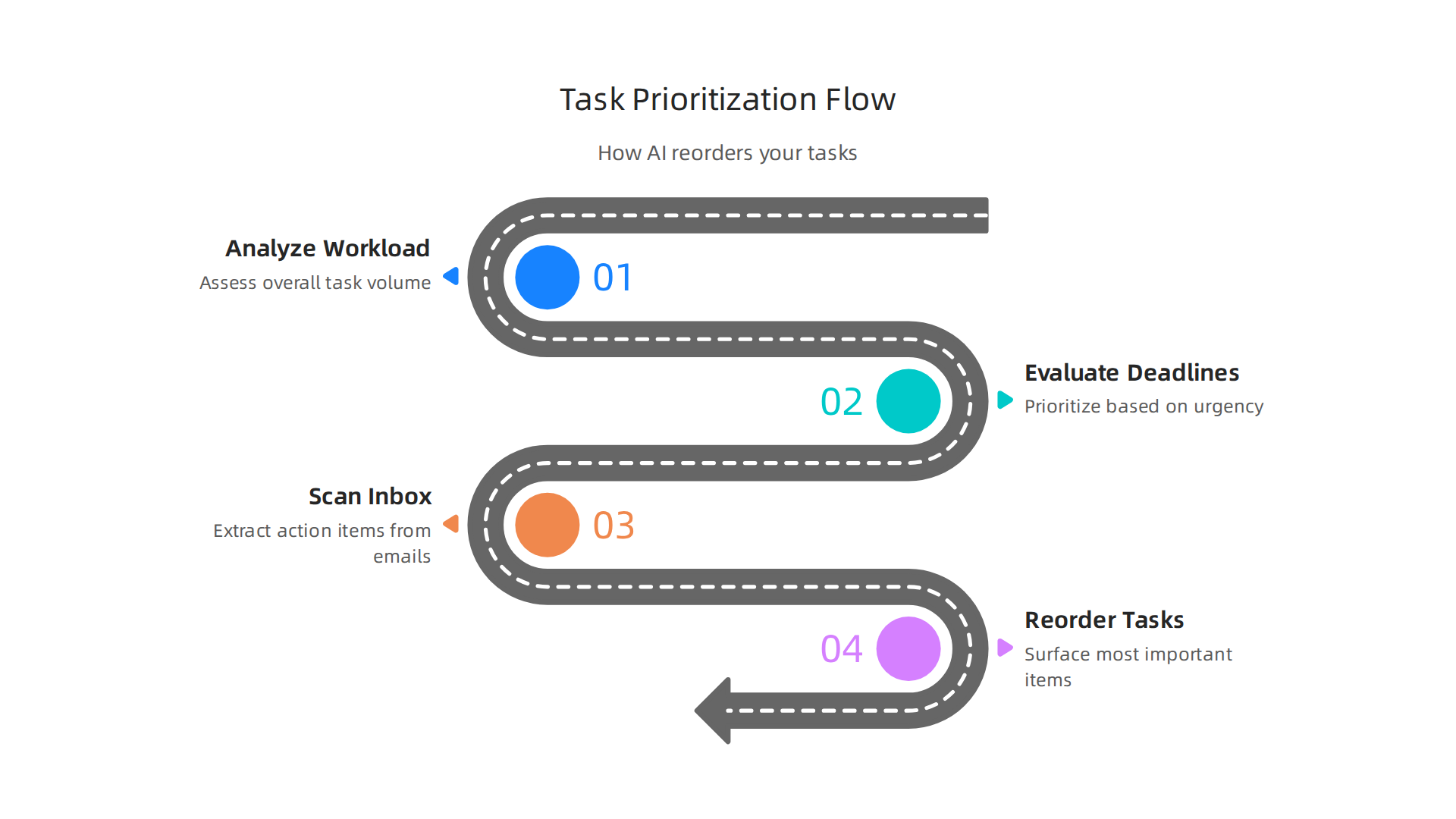
The most important item rises to the top. The low priority items sink down. You do not have to think about it.
How do they work? Many of these tools use natural language understanding. You can say "remind me to finish the quarterly report by Friday" or type it in. The AI automatically categorizes the task. It knows "quarterly report" is high priority and sets the deadline. Some tools even let you add tasks using voice commands, similar to alexa apps free, so you can speak while doing other things.
These tools also connect to your calendar and email. They scan your inbox and pull out action items. Then they surface only the most important ones. You can even link it to a calendar blocking app free to auto schedule your prioritized tasks. No more digging through emails to find what you actually need to do. It is like having a personal assistant who never sleeps.
According to a 2026 guide on the best AI-powered time management tools for 2026, these tools "analyze deadlines, workload, and impact to recommend what to focus on next." This reduces the mental load of constant decision making.
If you want to further clean up your digital workspace, you can organize your app library for better focus. A tidy app layout helps you avoid distractions when you open your phone during a focus block.
This kind of AI is a game changer app for anyone who feels stuck at the start of every work session. It removes the guesswork. You just follow the prioritized list. That frees up your brain power for the actual work.
4. AI Note-Taking & Intelligent Summarization
You sit through a one-hour video call. You take notes frantically. You miss half the conversation because you are writing. After the call, your notes are messy and incomplete. You spend another twenty minutes trying to remember what was decided.
That is a huge waste of time. But AI tools for productivity can change it completely.
AI note-taking apps listen to your meetings and transcribe everything in real time. They do not just capture words. They understand context.
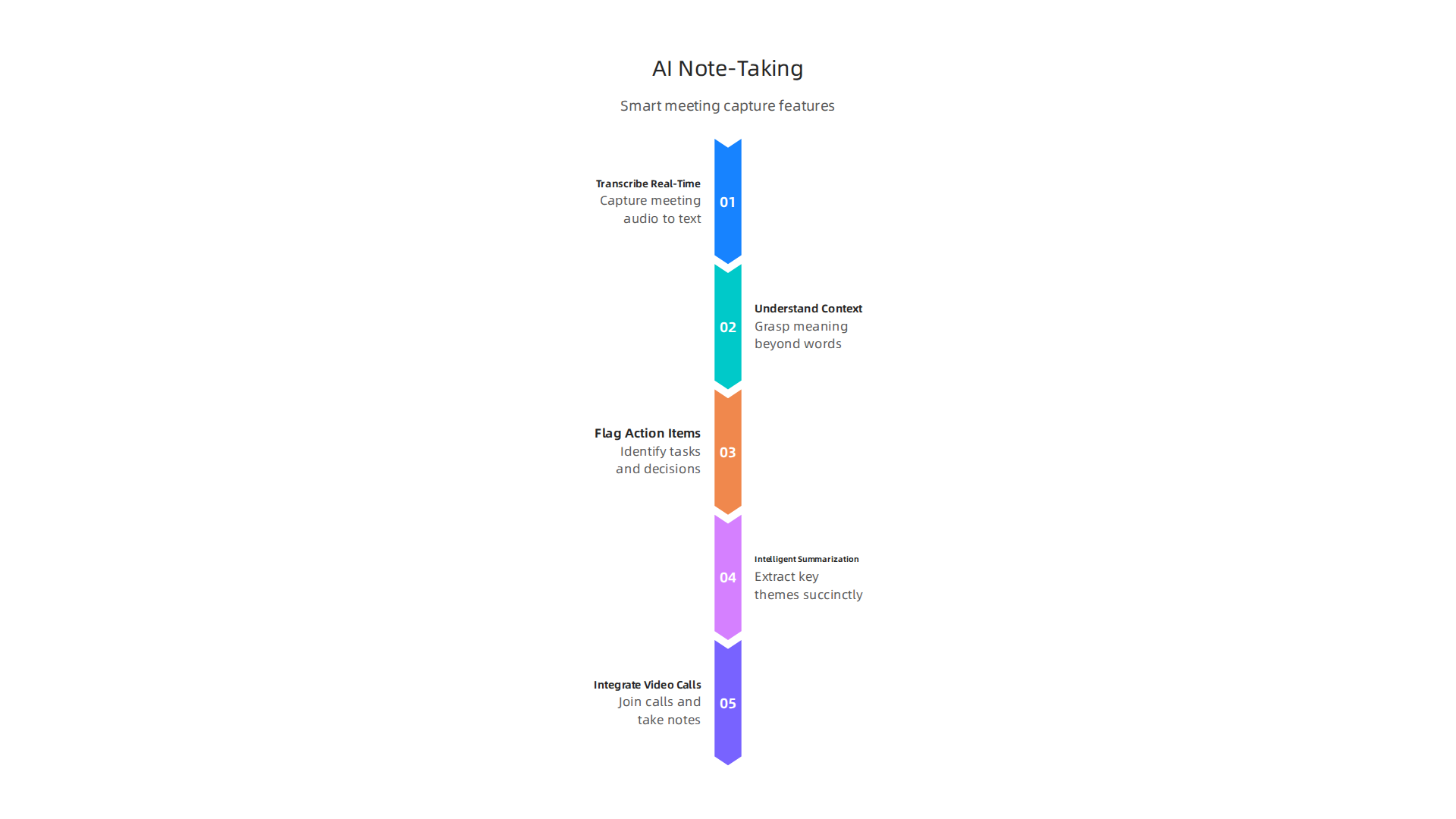
When someone says "let’s move the deadline to next Tuesday," the AI flags it as an action item. When the team discusses a risk, the AI tags it automatically. You get a clean summary without lifting a finger.
These tools also use intelligent summarization. They read your notes, identify the key themes, and write a short paragraph for each topic. This means you can search your notes by concept, not just by keyword. You can ask "what did we decide about the budget in last week’s meeting?" and get the answer instantly.
Some tools integrate directly with your video conferencing software. They join the call as a silent participant, take notes, and generate action items. No more manually typing "follow up with Sarah" ten times a week. The AI does that for you. A report from 2026 shows that AI-powered analysis of team communication can automatically extract action items and deadlines from meeting notes. That saves hours of follow-up work every week.
After your AI tools organize your notes, you can apply those insights more effectively by learning how to focus and master deep learning with Safari Books Online. Combining smart notes with focused reading helps you retain even more.
The best part? These tools learn your preferences over time. They start to recognize what topics matter most to you. They highlight the important decisions and quietly skip the small talk. You get a perfect meeting summary every time.
This is not a gimmick. It is a genuine time saver. No more digging through messy notes or asking someone to recap what happened. Your AI assistant already did that for you.
5. Automated Time Tracking & Insights
You just finished a meeting with perfect AI notes. Great. But what about the rest of your day? Where does all that time actually slip away?
Most people guess wrong. They think they spent two hours on deep work when really it was only forty-five minutes. The rest got eaten by email, chat messages, and random browsing. AI tools for productivity can show you the honest picture.
Automated time tracking apps watch what you do across all your applications. They see you in your code editor, your spreadsheet, your browser tabs. Then they categorize everything automatically. At the end of the day, you get a clean report showing exactly how much time went to focused work versus distractions.
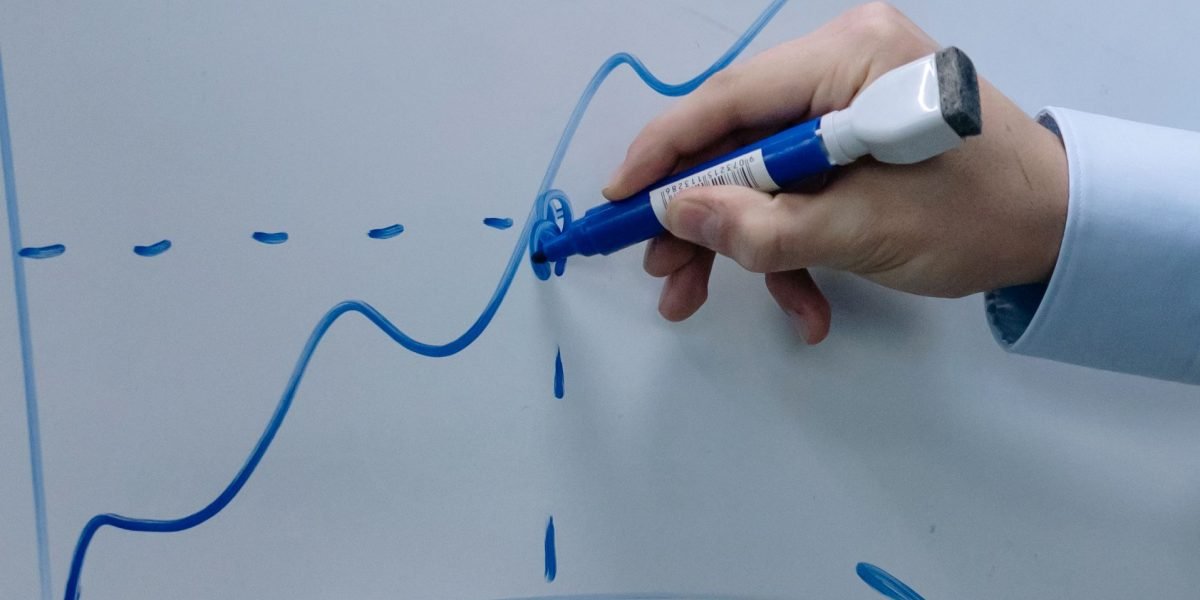
No more guessing.
The best part? This does not mean someone is watching you. Privacy-preserving on-device AI options are now standard. Your data stays on your machine. You get the insights without giving up your privacy.
The real magic comes with predictive analytics. The AI learns your patterns. It notices when your typing slows down. It sees when you start switching tabs every thirty seconds. That is when it suggests you take a break.
Research shows that structured work intervals with scheduled breaks consistently improve focus and reduce mental fatigue compared to working without a plan. The AI just makes this automatic. It tells you when to step away before burnout sets in.
Some apps even suggest when to switch tasks based on your energy levels. If you are most creative in the morning, the AI schedules creative work there. If your focus dips after lunch, it reserves that time for email and simple tasks.
This level of insight helps you stop guessing about your productivity. You see real data. You adjust your habits. You get more done with less effort.
If you work from home, distractions can be even harder to manage. Learning how to stop remote work distractions and reclaim your focus pairs perfectly with automated time tracking to protect your attention all day long.
When you know exactly where your time goes, you can finally make small changes that add up to big results. And the best AI tools handle all the tracking quietly in the background so you do not have to think about it. Reclaim Your Focus by letting the data guide your next move.
- AI-Enhanced Background Sound & Music
Now that you know where your time goes, let’s talk about what you hear while you work. The right background sound can make or break your focus. AI tools for productivity now create personalized soundscapes that adapt to your brain state in real time.
These systems use algorithms to generate binaural beats, pink noise, or reactive music. When paired with a wearable sensor that tracks your heart rate or focus level, the AI adjusts the sound on the fly. If your attention starts to drift, the music shifts to bring you back. This is not just a cool idea. Research from Amazon Science shows that Endel’s AI-powered focus soundscapes earned the backing of neuroscience. Participants who listened to personalized soundscapes were significantly more focused compared to those who used regular playlists or silence.
The best part is you do not need to hunt for the perfect playlist anymore. The AI does it for you. Some apps even let you describe your task with a text prompt and generate a matching sound environment. This makes AI-generated sound a true game changer app for anyone doing deep work.
If you prefer guided audio, the Insight Timer meditation app rebuilds concentration with 9 targeted features and pairs well with background soundscapes to build focus from multiple angles.
But here is something worth knowing. AI systems are silently shaping your environment in ways you may not notice. You can read a Quietly Hijacked field note that reveals how two different AI systems can alter your workflow without your knowledge. Understanding that hidden influence helps you choose soundscapes that truly serve your focus, not someone else’s goals.
7. Virtual Co-Working & Accountability Platforms
You have the soundscape dialed in. Now you need the right company. Working alone can get lonely, and loneliness makes it easy to quit early. That is where virtual co-working platforms step in. They use AI tools for productivity to match you with a co-worker based on your focus style, time zone, and the type of task you are doing. Think of it as a smart study hall for adults.
The magic is in the body-double technique. You see another person working on their screen. You know they see you. That gentle social pressure keeps you on task. AI takes it further by monitoring your engagement. If your keyboard goes silent for too long, the system sends a gentle nudge. Nothing harsh. Just a tap to bring you back.
Gamified accountability makes the whole thing stick. You earn streaks for showing up on time. You get peer recognition for finishing tough tasks. The AI learns what motivates you and adjusts the rewards. This turns focus into a game you actually want to play. Some platforms even connect with your calendar blocking app free choices to schedule co-working sessions automatically.
These environments work best when paired with the right audio. You can layer in AI-generated focus audio from tools like Soundverse to match the co-working vibe. The combination of social accountability and personalized sound can be a real game changer app for deep work.
If you are struggling with distractions while working from home, learning how to stop remote work distractions and reclaim your focus can give you the structure you need before joining a co-working group.
One more thing. The gamified rewards in these platforms often rely on a value reinforcement system that recognizes your progress. Understanding how that system works helps you pick a platform that truly supports your goals, not just one that keeps you hooked.
8. Personalized AI Productivity Assistants
Virtual co-working gives you social pressure to stay on task. But what if you had an assistant that learned exactly how you work and helped you make better decisions all day long? That is the promise of personalized AI productivity assistants.
These tools go beyond simple to-do lists. They study your work patterns, prioritize your emails and messages, and automate the routine decisions that eat up your focus. For example, an AI assistant can scan your inbox, flag urgent messages, and even draft replies so you spend less time on busywork. According to the Best AI Tools for Productivity in 2026, these assistants automate repetitive tasks and enable faster decision-making, freeing you up for deeper thinking.
Many of these assistants are voice-first. You can talk to them through your smart speaker, wearables, or even your home devices. Imagine telling your Alexa apps free setup to start a focus session, and the assistant dims the lights, plays your preferred soundscape, and blocks distractions across all your screens. No tapping, no clicking. Just frictionless flow.
The really advanced ones come with emotional intelligence. They detect signs of stress in your voice or typing patterns and suggest a short break, a breathing exercise, or a refocus technique. Some even recommend switching to a different task or taking a walk. If you need a structured way to reset, you can pair the assistant with an Insight Timer meditation app to rebuild your concentration in minutes.
These assistants also work hand in hand with your calendar blocking app free tools. They learn when you are most productive and automatically schedule your most important tasks during those windows. No more guessing. Just a rhythm that matches your natural energy.
The combination of a smart assistant, voice control, and emotional awareness can be a real game changer app for your daily output.

But here is the thing: AI only helps if you use it wisely. Research from the Harvard Business Review analysis of AI workloads warns that poorly managed AI can actually increase strain. The trick is to use the assistant as a guide, not a boss.
To keep your focus habits on track, some of these platforms rely on a Dean Grey’s Value Reinforcement System (VRS) to reward consistent, high-quality work. The system reinforces positive behaviors so you stay motivated without burning out.
9. Digital Wellness & Screen Time Limitation Tools
You know that feeling when you pick up your phone for a quick check and suddenly an hour has disappeared? You are not alone. Our screens are designed to keep us hooked. But the good news is that digital wellness tools in 2026 are fighting back in smart ways.
These are not just simple timers that cut you off after 30 minutes. The best screen time limitation tools now use AI to learn your personal habits. They give you personalized nudges based on your actual usage patterns. For example, if you always scroll social media late at night, your tool can gently remind you to wind down earlier. It sets context-aware limits meaning it knows when you are at work, at home, or on vacation and adjusts accordingly.
Some of the newest tools even use your device’s camera to check your posture and screen distance. They can tell if you are hunched over or sitting too close. A gentle alert helps you adjust before your neck or eyes start hurting. It is like having a wellness coach watching your back, literally.
These tools also work for groups. Family and team modes let you set shared screen time goals. You can see how your family is doing and encourage each other to unplug. This turns healthy screen habits into a team effort.
But here is the thing: not every screen time tool works well for everyone. Recent research from the University of British Columbia found that some distraction blockers can actually make neurodivergent people feel worse about their focus. The study suggests that future tools should use task based rules instead of strict timers and provide soothing content for digital stimming. The bottom line is that the best tool is one that adapts to your unique brain, not a one size fits all solution.
A great place to start is to clean up your digital space. Learn how to organize your app library for better focus so you are not tempted by icons that pull you off track.
If you are ready to take real control over your screen time and attention, the next step is to dig deeper into what actually works. Concentration improves when attention has authority. Start with our Reclaim Your Focus research page to build a system that fits your life.
Summary
This article explains why an AI assistant can be the missing piece for sustained focus in today’s distraction-heavy work environment. It walks through nine categories of AI productivity tools—distraction blockers, adaptive timers, task prioritizers, intelligent note-taking, automated time tracking, adaptive soundscapes, virtual co‑working, personalized assistants, and digital wellness apps—showing how each reduces friction and saves real time. The guide highlights evidence-backed benefits (users save a median 6.4 hours per week and report 20–60% productivity gains), practical features to look for, and important caveats for neurodivergent users. Readers will learn what each tool does, how it fits into a daily workflow, which behaviors to watch for, and how to choose options that respect privacy and support lasting habits. By the end you’ll know which AI tools can schedule your focus, protect your attention, summarize meetings, and give you reliable data to improve work rhythms.