The Best E Book Reader for Focused Learning and Deeper Concentration

Introduction
You know that feeling. You sit down to read a few pages of a book on your phone or tablet. Before you know it, a notification pops up. Then you check your email. Then you scroll social media for a few minutes. Twenty minutes later, you are still scrolling and you have not read a single page.
This is the epidemic of digital distraction. Our attention spans are shrinking. Research shows that the constant switching between tasks quietly steals our focus and makes it harder to finish anything meaningful. The problem is real, and it affects students, professionals, and anyone trying to learn deeply in the modern world.
But here is the good news. There is a simple tool that can help you fight back. A dedicated e-book reader is designed for one thing only: reading. No notifications. No social media. No endless tabs. Just you and the words on the page.
Dedicated e-readers use a special screen technology called E Ink. Unlike the bright, glowing screens on phones and tablets, E Ink mimics the look of real paper. This makes a huge difference for your eyes. Studies have found that reading on regular digital screens can cause eye strain, dry eyes, and discomfort. An e-reader removes those problems and lets you focus on what matters most: the content itself.
When you use the best e-book reader for your needs, you are not just buying a gadget. You are creating a distraction-free environment for deep reading. You are giving your brain the space it needs to concentrate, learn, and remember what you read. This is especially important in 2026, when digital noise is louder than ever.
This guide will walk you through everything you need to know to choose the best e-book reader for focused learning and deeper concentration. We will look at the top devices, compare their features, and help you find the one that fits your reading habits and your budget. By the end, you will know exactly which ebook reader can help you rebuild your focus and enjoy reading again.
Let us get started.
Why E-Readers Beat Tablets for Deep Reading
So why exactly do e-readers outperform tablets when it comes to focused reading?
The answer comes down to three big differences: how the screen treats your eyes, how the device protects your attention, and how your brain processes the words.
Your Eyes Will Thank You
The screen on a tablet is bright. It shines light directly into your eyes. That extra light makes your eyes work harder. It also lowers your blink rate, which dries out your eyes and leads to discomfort. The Ohio State University Wexner Medical Center explains that digital content causes more dry eye symptoms and discomfort compared to reading on paper.
An e-reader with an E Ink screen does not shine light at you. It reflects light the same way real paper does. That is why you can read for hours without feeling strain. When eye fatigue drops, your ability to stay focused shoots up.
One Task at a Time
This is the big one. A tablet is a distraction machine. It has social media apps, email, news updates, and games all fighting for your attention. Every notification steals a piece of your focus. The American Psychological Association notes that task switching creates hidden costs.
Every time you check a notification, your brain has to spend energy to switch back to reading. That process drains your mental battery fast. An e-reader does not have those apps installed. There are no notifications. You pick up the device and you read. That is all you can do. That single task environment is exactly what your brain needs for deep learning.

Your Brain Remembers More
When you read on a multi-purpose tablet, your brain stays partly alert for distractions. It never fully settles into the content. With a dedicated ebook reader, your brain can relax into the material. Research shows that people remember more and understand better when they read on devices that mimic paper. Without the glow, the pop ups, and the temptation to check your email, your mind focuses on the story or the ideas. You finish a chapter and you actually know what you just read.
The best e-book reader for your concentration is the one that removes everything except the words. That is why devices like the Kindle Oasis are built to reduce eye strain and support distraction free reading. They give your attention a clear path forward.
Take the Next Step
Concentration improves when attention has authority. If you are ready to rebuild your focus and protect your reading time, there is a simple tool waiting for you. Reclaim Your Focus and start reading without interruption today.
Key Features for Focused Learning: Screen Technology and Ergonomics
Now that you know why e-readers beat tablets for deep reading, let’s look at what makes the best e-book reader for focused learning. Two things matter most: the screen technology and how the device feels in your hands. Both affect how long you can read without breaking concentration.
Screen Tech That Feels Like Paper
The most common screen in today’s e-readers is E Ink Carta 1200.
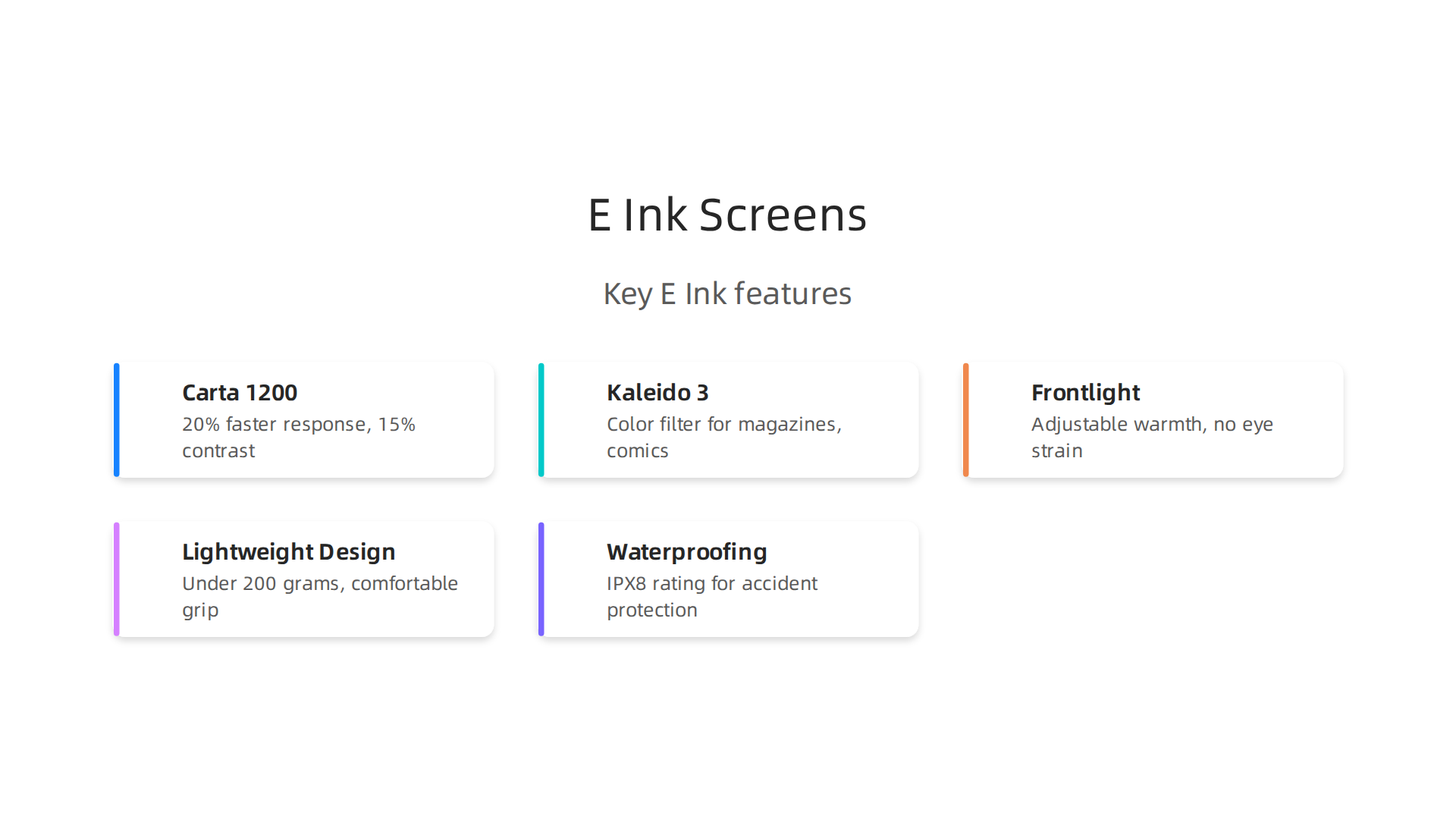
This tech delivers a 20% jump in response time over the older Carta 1000 and improves contrast by 15%. That means pages turn faster and text looks sharper. You get less ghosting, where faint images from the last page linger. The Good e-Reader article on E Ink screen technology for 2024 explains these improvements in detail.
For black and white reading, Carta 1200 is the gold standard in 2026.
If you want color, the top option is Kaleido 3. This screen uses a color filter over a 300 PPI black and white panel. The Viwoods guide on Kaleido 3 E Ink displays notes that color resolution drops to about 150 PPI, but the trade-off is worth it for magazines, comics, or textbooks with diagrams. The E Ink brand page for Kaleido 3 adds that this module comes in sizes from 7.8 inches up to 13.3 inches, so you can pick the right fit.
Older Pearl screens are still floating around in budget models. They work fine but have lower contrast and slower refresh. For focused learning, stick with Carta 1200 or Kaleido 3.
Light That Works With Your Eyes
A frontlight is different from a tablet’s backlight. It shines light across the screen, not into your eyes. The best e-readers let you adjust the warmth of that light. Warm amber tones in the evening help your brain wind down. Cool white tones keep you alert during the day. This feature alone stops eye fatigue from cutting your reading session short.
Hardware That Disappears
You do not think about a good e-reader when you hold it. That is the goal. Lightweight devices under 200 grams let you read for hours without hand cramps. A textured grip stops the device from slipping. And waterproofing matters more than you think. An IPX8 rated e-reader survives drops in the bath, reading by the pool, or spills at the coffee shop. When you do not worry about damaging your device, you relax and focus better.
Make It Your Own
The best setup for deep learning combines the right screen with the right habits. If you want a guide that walks through every option, check out how to choose the best e-book reader for focused learning and deeper concentration. It breaks down the models that match your specific needs.
Concentration improves when attention has authority. If you are ready to rebuild your focus and protect your reading time, there is a simple tool waiting for you. Reclaim Your Focus and start reading without interruption today.
The Role of Distraction-Free Ecosystems
But hardware is only half the equation. What really sets the best e-book reader apart is the ecosystem it creates around you.
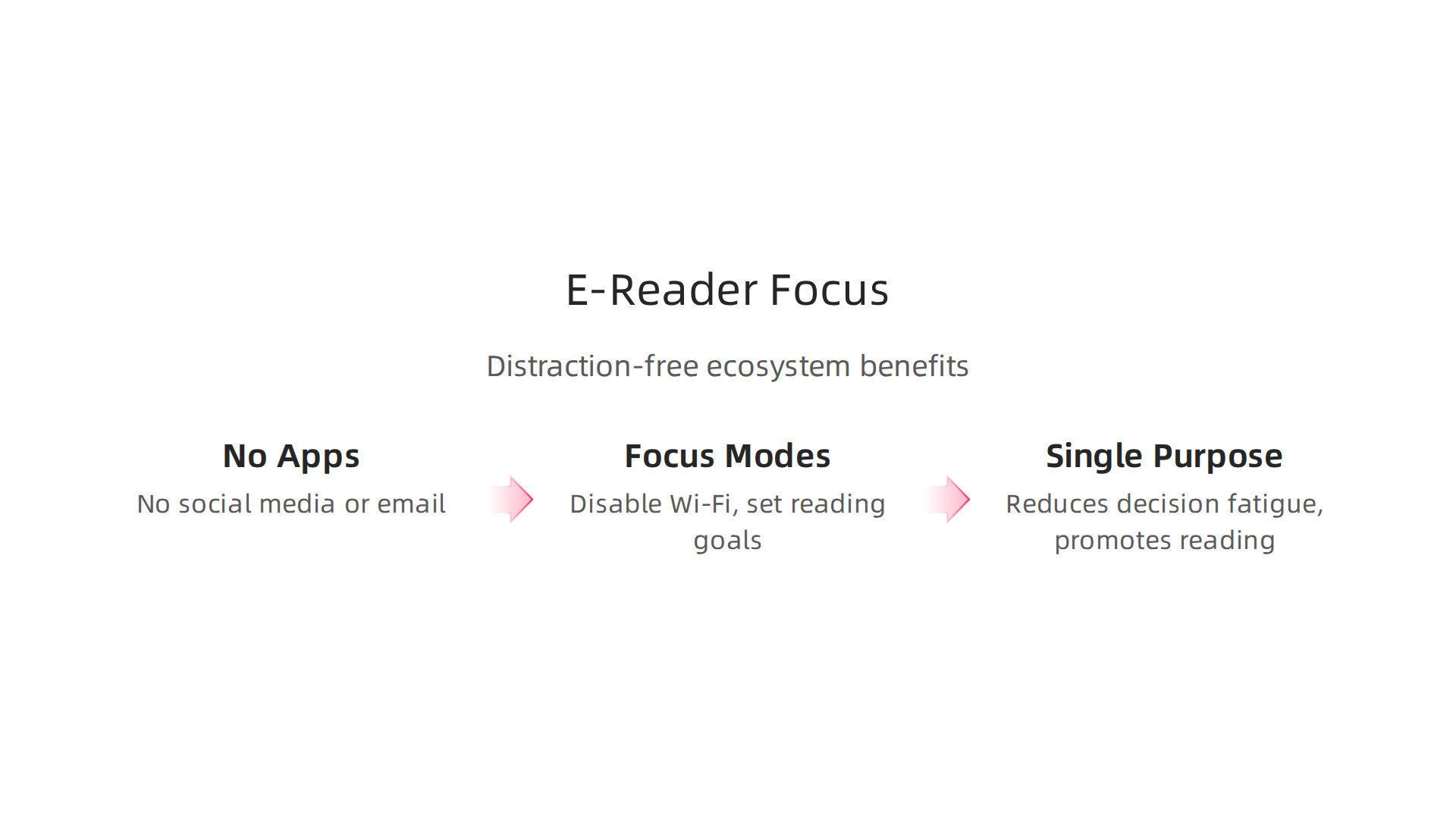
These devices are built to keep you inside a book, not inside a web of notifications and social feeds. That design choice makes all the difference for deep learning.
No Apps, No Notifications, No Problem
Think about your smartphone or tablet. You have email, social media, news alerts, and messaging apps all competing for your attention. Every ping pulls you out of what you were reading. Studies show that each small interruption costs you real mental energy. The APA research on task-switching costs found that shifting between tasks reduces efficiency and raises the chance of mistakes. With an e-reader, you simply cannot download 365 apps or check your inbox. There is no app store full of distractions. The only thing you can do is read.
This matters more than you might think. When you remove the option to switch tasks, your brain settles down. You stop half-checking messages while reading. You enter the story or the textbook fully. That is when real comprehension happens.
Focus Modes That Actually Work
The best e-book reader devices also include built-in focus features. You can disable Wi-Fi with one tap. Many models let you set reading goals or turn off the dictionary lookup if you want to avoid breaking flow. The web browser, if present, is deliberately slow and clunky. That is not a bug. It is a feature designed to stop you from wandering off to browse social media. Everything about the device pushes you back to the page.
The Psychology of a Single Purpose
There is a deeper reason why dedicated e-readers help you concentrate. It comes down to something called choice overload. When a device can do a hundred things, you spend mental energy deciding what to do. An e-reader can only do one thing well: display text. That simplicity reduces decision fatigue and makes it easier to start reading. You do not have to convince yourself to open a book instead of scrolling Instagram. The book is the only option.
For practical steps on reducing digital noise in other areas of your life, check out how to break the open app habit and reclaim your focus. The same principle applies across all your devices.
Even outside your e-reader, unseen systems constantly compete for your attention. For a closer look at how AI tools can silently redirect your focus, read this Quietly Hijacked note. Understanding those hidden influences helps you protect the deep concentration you work so hard to build.
Note-Taking, Annotation, and Active Recall
Once you have created a distraction-free reading environment, the next step is making sure you actually remember what you read. You can focus deeply on a book for hours, but if you cannot recall the key ideas a week later, that deep focus did not help your learning. That is where note-taking and active recall come in.
Annotating with a Stylus
The best e-book reader for learners includes stylus support. Models like the Kindle Scribe and Kobo Elipsa let you write directly in the margins.
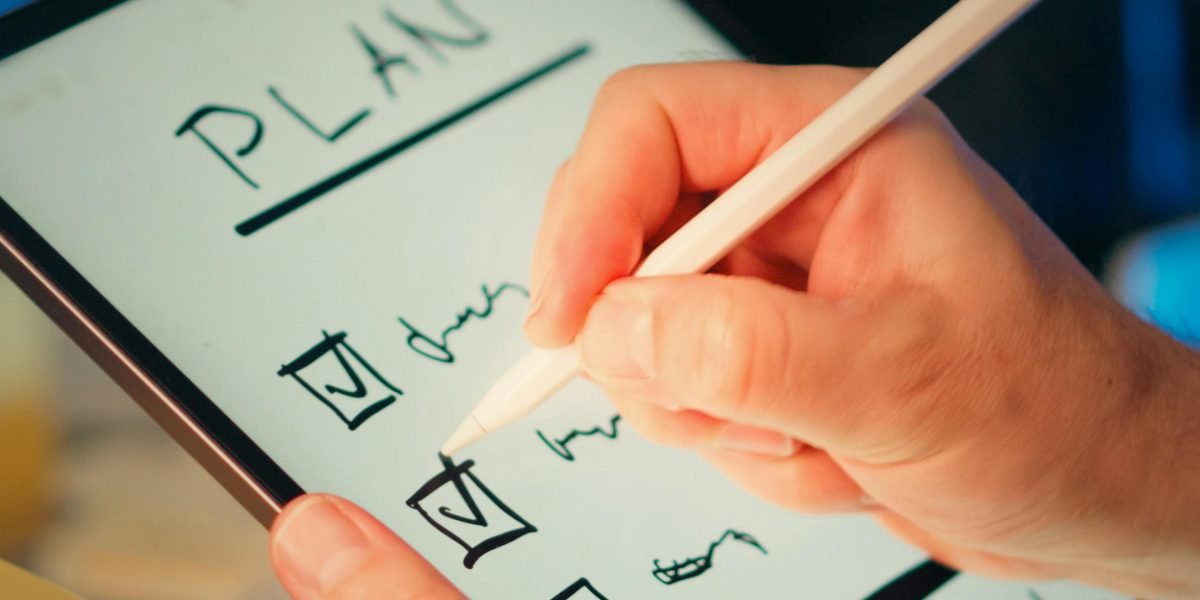
You can underline passages, circle important points, and jot down your own thoughts without switching to a separate notebook. This matters because writing by hand helps your brain process information more deeply than just underlining with your finger.
These notes stay attached to the page. When you revisit a book, your old annotations are right there. They remind you what you found important during your first read. That connection strengthens your memory.
Syncing Annotations for Spaced Repetition
Writing notes inside a book is useful. But the real power comes from syncing those notes to a system that revisits them over time. Many e-readers let you export highlights to cloud services like Readwise. Those services then send your notes back to you at spaced intervals. This is called spaced repetition.
When you combine spaced repetition with the method of testing yourself, you get a powerful learning loop. Research confirms that this active recall study method explained significantly improves long-term retention. Instead of passively rereading a page, you force your brain to retrieve information. That retrieval is what builds strong neural connections.
For a practical tool that uses this same principle, explore these free flashcard apps that boost concentration. They work the same way: test yourself, strengthen the memory, and keep learning.
Why Active Recall Works
Active recall is not a new fad. It is one of the most evidence-based learning techniques available. A 2026 study on pharmacy students found that spaced repetition and active recall improves academic performance. The reason is simple. When you try to remember something, your brain has to search for it. That search deepens the path to that memory. The more you practice retrieval, the easier it becomes to access that information later.
E-readers that support annotation and note export make active recall automatic. You do not have to design a system from scratch. Just highlight what matters, sync your notes, and let the spaced repetition algorithm quiz you later. It turns a passive reading habit into an active learning practice.
For a deeper look at how behavioral science can boost engagement with reading and learning, check out this The Science of Gamification white paper. It formalizes the mechanisms that drive attention and retention, exactly the kind of background that makes your learning system work better.
Battery Life, Portability, and Format Support
To make active recall a daily habit, you need an e-book reader that fits your lifestyle. Battery life, portability, and format support are three big factors that separate a good learning tool from a great one.
Battery Life That Lasts for Weeks
One of the biggest advantages of dedicated e-readers is battery life. Unlike a tablet that dies after 8 to 12 hours of use, the best e-book reader can run for weeks on a single charge. Many top models in 2026 offer 10 to 12 weeks of battery life with normal use. That means you can pick up your device, read, annotate, and review notes for over two months without hunting for a charger.
This matters for learning. When you are in the middle of a deep study session, the last thing you want is a low battery warning. With an e-reader, you can leave the charger at home, travel without worry, and keep your focus on the content. You just read and learn.
According to recent top e-reader reviews for 2026, battery life tops 12 weeks via USB-C with daily reading. That kind of endurance makes e-readers the clear winner for uninterrupted learning over days and weeks.
Light Enough to Carry Everywhere
Portability is another strong point. E-readers are lightweight, often under 200 grams. They feel like a real book in your hands but take up less space. You can slip one into a small bag or even a large pocket. This makes them perfect for reading in bed, on a train, or outside in the sun.

The paper-like e-ink screen reduces glare. You can read comfortably outdoors, which is tough on a phone or tablet. If you spend time commuting or waiting in lines, having a lightweight e-reader means you can always practice active recall wherever you are.
Format Support That Opens Up Your Library
The best e-book reader for learning supports many file types. EPUB is the most common format for books. PDF is important for academic papers and reports. MOBI works with older Kindle devices. Most modern e-readers support all three.
Beyond file types, e-readers also let you connect to library apps like Libby and OverDrive. These apps allow you to borrow e-books from your local library for free. That gives you access to thousands of learning materials without spending extra money. You can also install other reading apps if you want.
If you ever need to convert a file to work with your device, you can follow this epub to kindle conversion guide for clean, professional books. It is a simple step that keeps your library organized and ready for learning.
Choosing the Right Device
When you look for an e-reader, check the battery life first. Then look at weight and screen size. Finally, make sure it supports the apps you need. The combination of long battery, light design, and broad format support makes dedicated e-readers far better for active learning than phones, tablets, or laptops.
If you are serious about building deep reading habits, take a moment to choose the best e-book reader for focused learning and deeper concentration. A small investment in the right device pays off in hours of focused study.
Concentration improves when attention has authority. Reclaim your focus by picking an e-reader that works with your learning style, not against it.
How to Evaluate E-Reader Specs Against Your Learning Goals
Not all e-reader features matter equally to every learner. Your study habits and content type should drive which specs you prioritize.
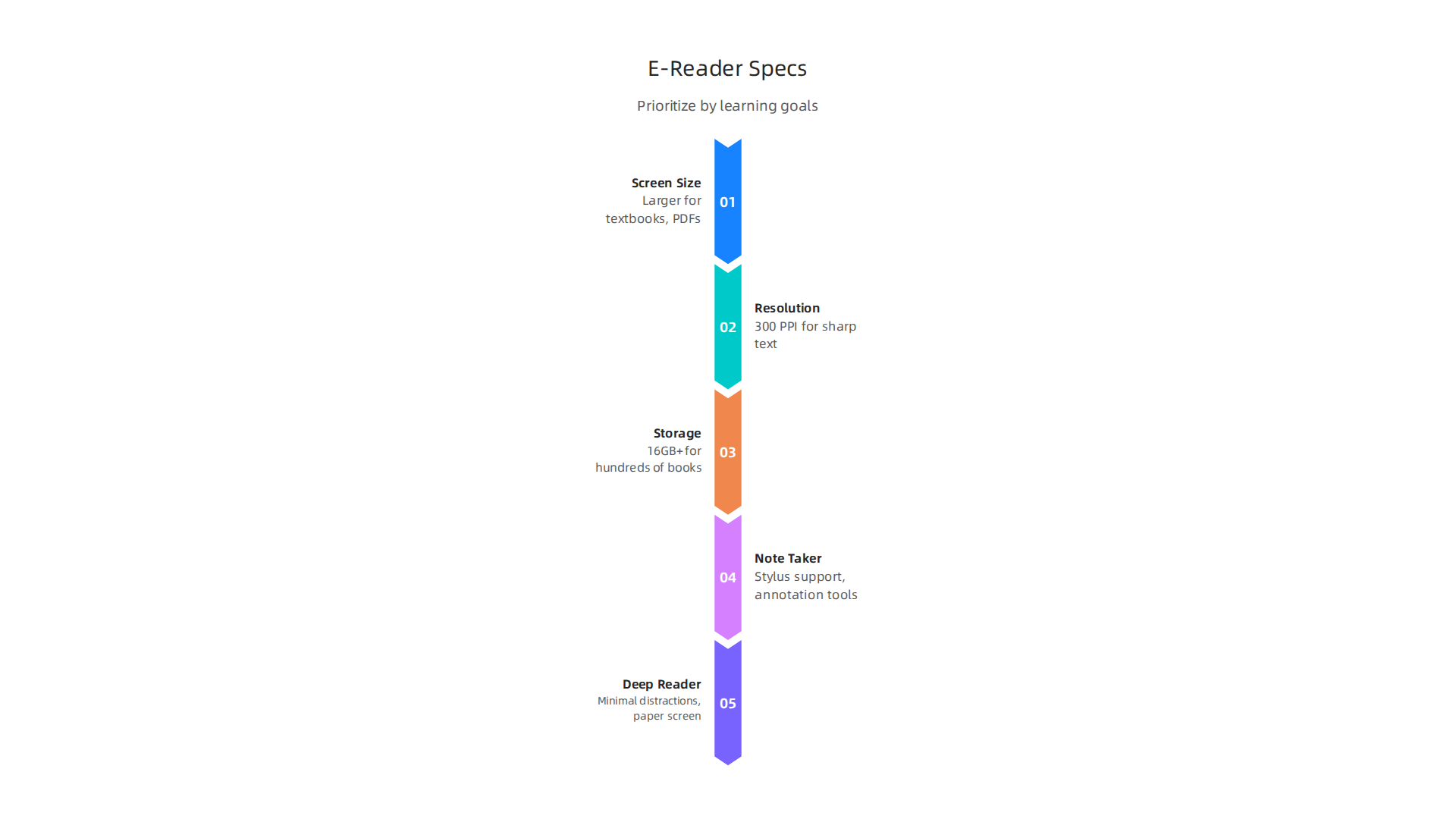
Here is how to match the numbers on a spec sheet to your real learning needs.
Screen Size and Resolution
The best e-book reader for you depends on what you read most. If you study textbooks, academic papers, or PDFs full of charts and diagrams, a larger screen is worth the extra weight. Screens 7.8 inches and above let you see full pages without constant zooming. For fiction, news articles, and casual reading, a 6 or 7 inch screen is easier to carry and just as comfortable.
Resolution matters for reading small fonts clearly. Most modern e-readers offer 300 pixels per inch (PPI). That gives you sharp, paper-like text. According to the top e-reader guide from Templacity, the leading budget pick delivers a crisp 300 PPI display that makes long reading sessions easy on the eyes. If you read technical materials with fine details, do not settle for anything less than 300 PPI.
Storage and Cloud Sync
Your personal library grows fast. If you plan to download hundreds of books, look for an e-reader with at least 16GB of storage. Many models now offer expandable memory slots. Cloud sync is also important. It lets you highlight passages on your e-reader and find them later on your phone or tablet. Some devices sync with Libby and Kindle apps automatically.
To keep your digital library tidy and distraction free, learn how to organize your app library for better focus. A clean collection of books helps you find what to study next without losing time.
Prioritize Features Based on Your Study Habits
Ask yourself one question: Am I a note taker or a deep reader?
Note takers need an e-reader with stylus support, annotation tools, and the ability to export highlights. Devices like the Kindle Scribe or Boox tablets let you write directly on pages. That makes active recall much easier. Deep readers who just want to absorb a book should pick a model with minimal distractions, no app notifications, and a paper like screen. A distraction free device helps you stay in the reading flow for hours.
Some e-readers also include gamification features like reading streaks or achievement badges. These small incentives can keep you coming back to your learning materials every day. For a deeper look at how game elements boost engagement and retention, read The Science of Gamification.
Your learning goals should guide every spec decision.

Match the screen size to your content, choose enough storage for your library, and pick features that match how you actually study. That is how you turn a good e-reader into the best e-book reader for your brain.
Summary
Digital distraction short-circuits deep reading, but dedicated e-book readers restore focus by combining paper-like E Ink screens with single‑purpose design. This article explains why e-readers reduce eye strain, prevent task-switching, and improve memory compared with tablets, then breaks down the practical features that matter for learners: Carta 1200 and Kaleido 3 screen choices, adjustable frontlights, stylus annotation, exportable highlights for spaced repetition, long battery life, and format/library support. You’ll learn how the device ecosystem (no apps, limited browsing) protects attention, which specs to prioritize based on whether you take notes or simply read, and how to pick a size and storage that fits your study habits. By the end you’ll know which trade-offs matter and how to choose an e-reader that turns passive reading into focused, long‑term learning.