
8 Free Flashcard Apps That Boost Concentration and Retention

Introduction
You sit down to study, open your phone, and suddenly it’s 30 minutes later. You’ve scrolled through social media, checked email three times, and barely touched your notes.

Sound familiar? In 2026, digital distraction is one of the biggest barriers to learning and remembering what you study. Researchers have found that constant notifications and endless feeds fracture our attention, making it harder than ever to hold on to new information. Many students and professionals are turning to Digital Minimalism for Students to cut through the noise and rebuild focus.
Traditional paper flashcards have been a trusted study tool for decades. They work because they force you to actively recall information. But they also have limits. You have to carry stacks of cards, shuffle them manually, and track which ones you’ve mastered on your own. Digital flashcard apps promise to solve these problems with interactive features, automatic scheduling, and scientifically backed repetition methods. The question is: which ones actually help you concentrate and retain more?
That’s where this guide comes in. We have analyzed the top free flashcard app options based on cognitive science research, real user reviews, and independent studies. Our goal is to help you cut through the hype and find the tools that genuinely support deep focus and long-term memory. No fluff, just results.
Whether you’re a college student cramming for exams, a professional learning a new skill, or someone simply trying to remember more of what you read, the right free flashcard app can transform the way you learn. And if you want to take your focus even further, explore free flashcard apps that boost concentration as part of a broader strategy to reclaim your mental energy.
If you are ready to stop fighting distractions and start learning smarter, Reclaim Your Focus today with proven techniques that go beyond study tools. Let’s dive in.
1. Anki – The Gold Standard for Spaced Repetition
When it comes to free flashcard apps that use proven science, Anki is the name you hear most often. And for good reason. Anki uses a smart algorithm that schedules review sessions based on your personal memory strength. If you struggle with a card, it shows up again soon. If you know it well, you might not see it for weeks.
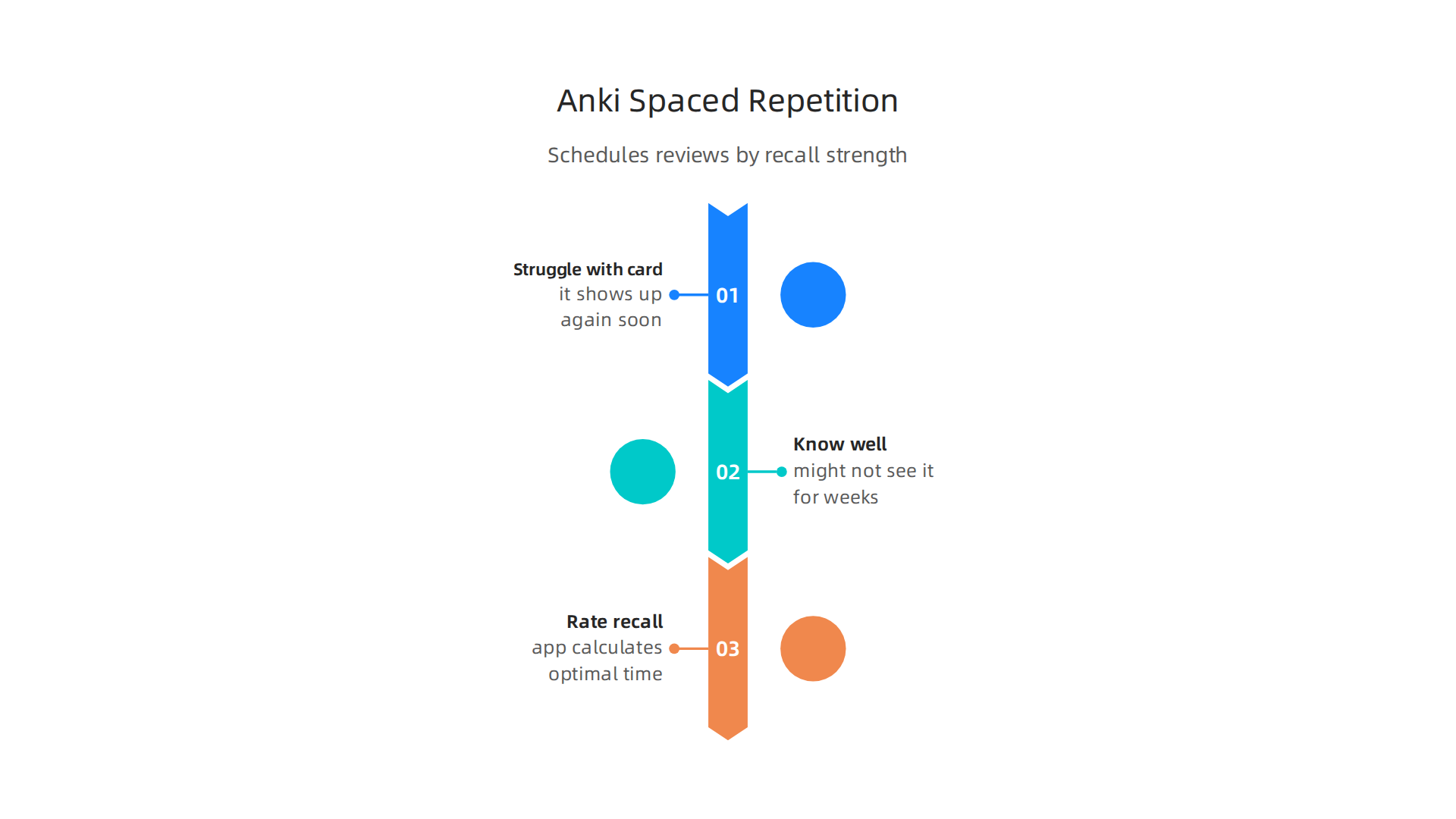
This method is called spaced repetition, and research consistently shows it beats traditional study methods.
The spacing effect is one of the most reliable findings in cognitive science. Study sessions spread out over time produce much better long-term recall than cramming, according to research on the spacing effect. Anki automates this perfectly. You do not need to plan when to review. You just rate your recall, and the app calculates the optimal time to show each card again. This saves mental energy and lets you focus on learning instead of scheduling.
Anki is free on desktop and web. The mobile versions for iOS and Android cost a small one time fee.
For students and lifelong learners, that small investment pays for itself quickly. Anki also lets you download shared decks from a huge library. Medical students, language learners, and professionals use these pre made decks to jump straight into studying without spending hours creating cards.
The science behind Anki’s algorithm is solid. It is built on decades of research into how memory works. Even patented systems have recognized the cognitive principles at play. You can learn more about this foundation in U.S. Patent No. 12,205,176, which describes the memory optimization methods that make tools like Anki so effective.
If you want to get the most out of Anki, pair it with good focus habits. Try organizing your digital study tools to reduce distractions while you review. With Anki handling the timing, you can focus entirely on understanding and remembering the material.
2. Quizlet – Social Learning and Gamified Flashcard Modes
If Anki is the quiet, science heavy workhorse, Quizlet is the lively study partner who makes learning feel like a game. This free flashcard app takes a completely different approach. Instead of just showing you cards, it turns studying into a mix of challenges, races, and team contests. And for many people, that little spark of fun is exactly what keeps them coming back.
Quizlet gives you several ways to study the same set of cards. The Learn mode uses retrieval practice, which is a proven way to strengthen memory. The Test mode lets you quiz yourself with written answers, multiple choice, or true/false questions.
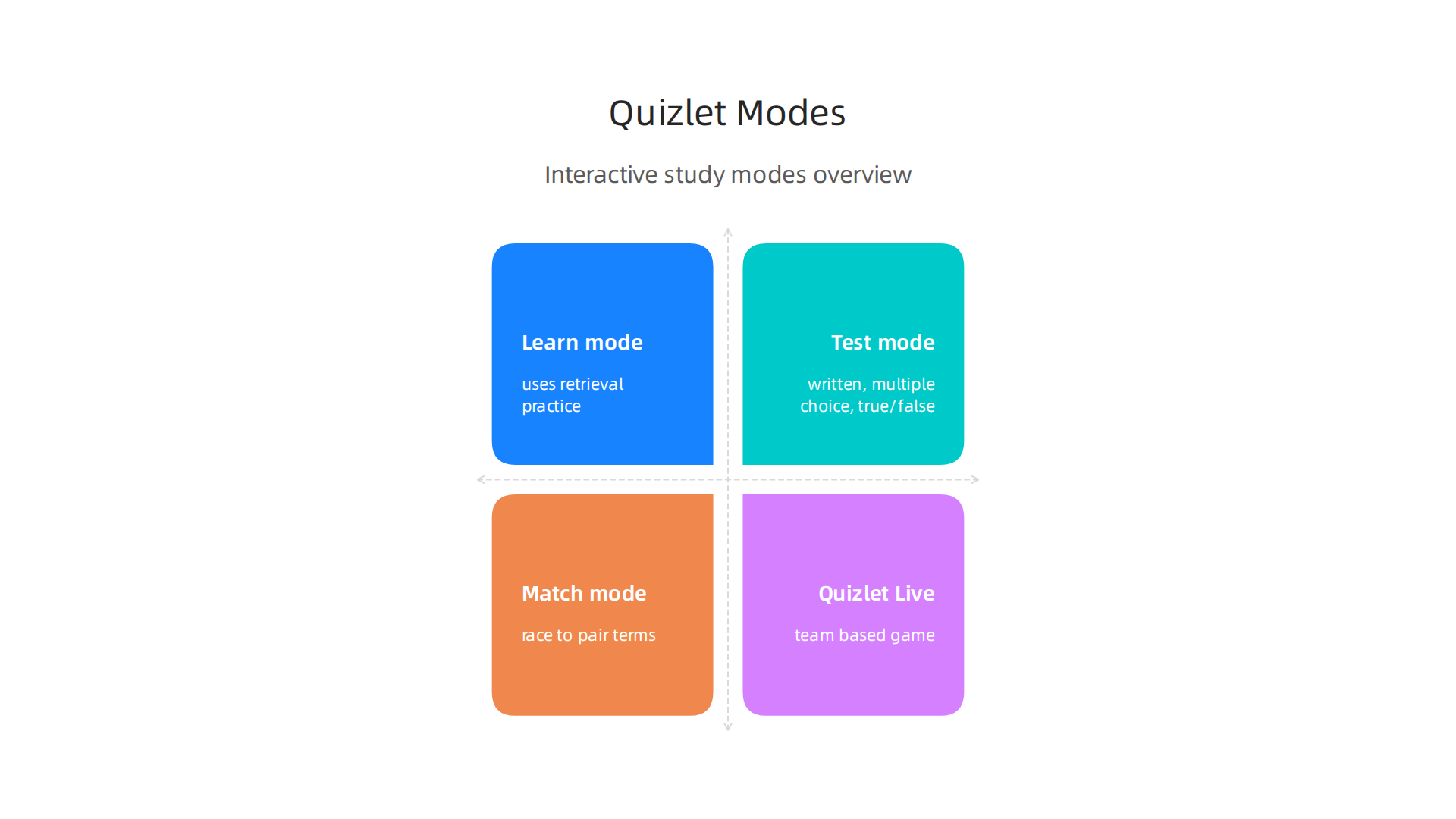
Then there is Match, where you race against the clock to pair terms with definitions. That timed pressure can sharpen your recall in a way that feels more like a video game than a study session.
The social side is where Quizlet really stands out. Teachers can create class sets and share them instantly. Students can study together in real time using Quizlet Live, a team based game where everyone must work together to answer questions correctly.

This social connection boosts engagement, and research shows that gamified learning can increase your motivation to study. The key is that adding game elements makes the effort feel less like work.
Quizlet’s free tier is surprisingly generous. You get access to most study modes and can create unlimited flashcard sets. Ads are minimal and not intrusive. Some advanced features, like uploading images and tracking detailed progress, require a paid subscription. But for the average student or lifelong learner, the free version does more than enough.
Just keep in mind that the gamified features are meant to help you learn, not distract you. If you find yourself mindlessly playing Match instead of actually studying, try breaking the habit of constant app switching to reclaim your focus. A little competition is great, but the goal is still retention.
If you want to understand why gamification works so well for learning, read the peer reviewed white paper called The Science of Gamification. It explains the brain mechanisms that make game elements effective for memory and motivation. Quizlet taps into these same principles, and knowing how they work can help you use the app more wisely.
3. Brainscape – Confidence-Based Repetition for Deeper Learning
While Quizlet makes studying a social game, Brainscape takes a quieter but equally powerful approach. This free flashcard app is built around a simple idea: you tell it how well you know each card, and it adjusts your study plan based on your answer.
After every card, Brainscape asks you to rate your confidence from 1 to 5. A 1 means you guessed. A 5 means you knew the answer instantly. The app then shows your weakest cards more often.
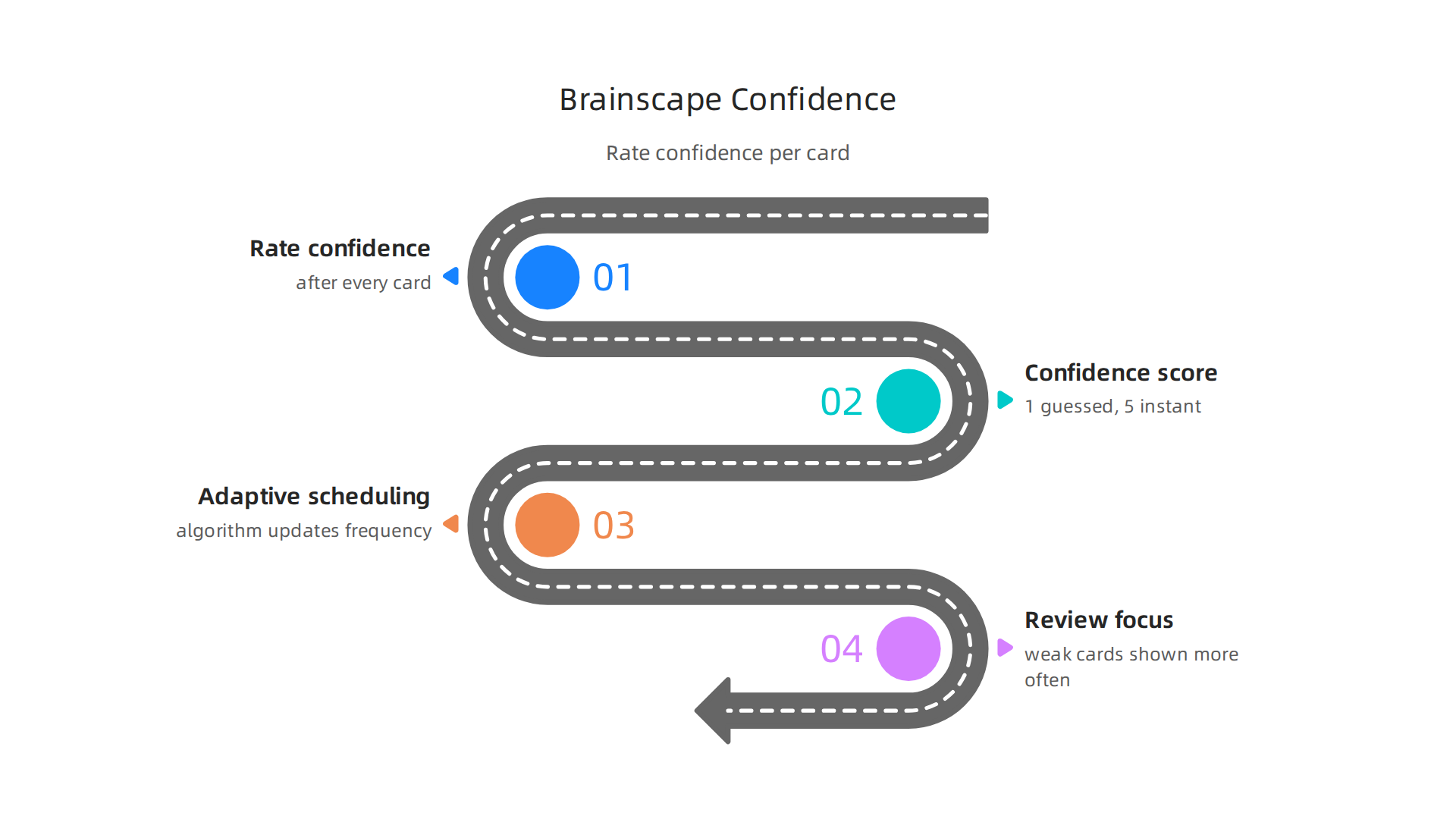
It holds back cards you have mastered. This is called confidence based repetition, and it makes every minute of study count.
The core science behind this method is sound. Brainscape combines two proven techniques: spaced repetition and metacognition (thinking about your own thinking). Recent 2026 spaced repetition research confirms that this combination dramatically improves long term retention. By reducing the mental clutter of reviewing things you already know, the app prevents cognitive overload. That means you can stay focused longer and absorb more without feeling drained.
Brainscape has a generous free web version. You can create unlimited decks and study them without paying a cent.
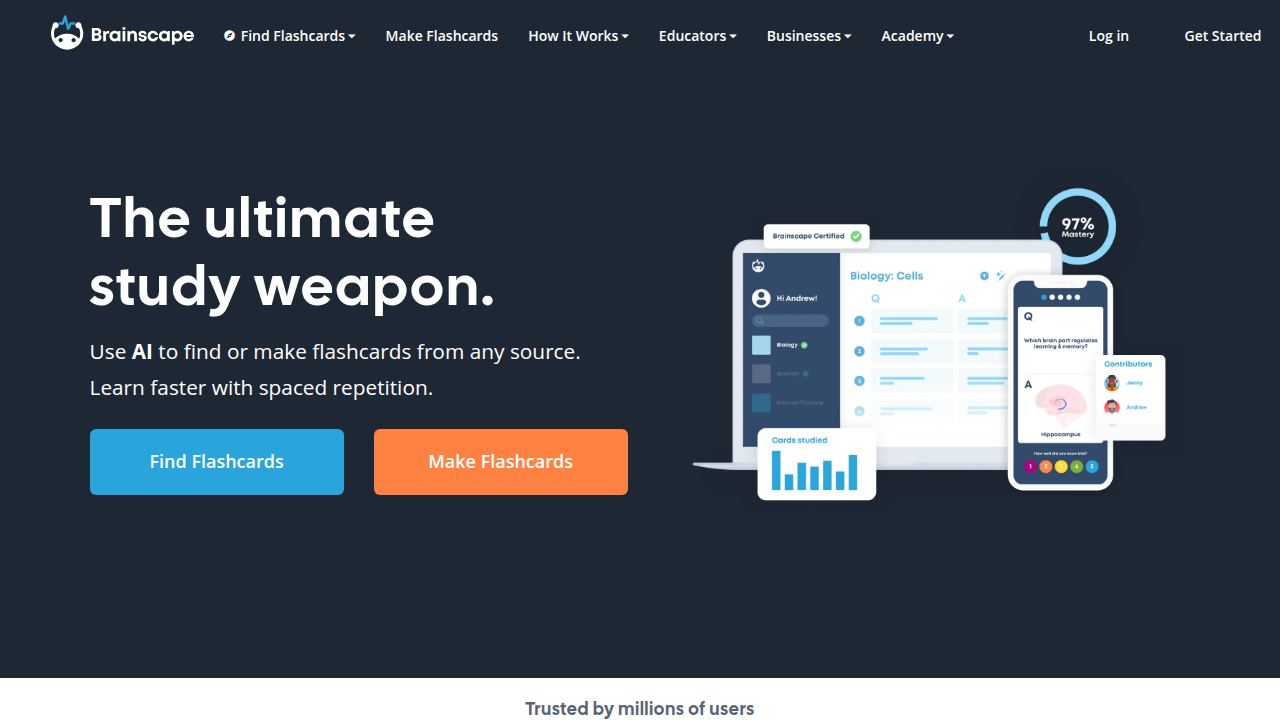
If you want extras like offline access or advanced tracking, there is a paid premium plan. But for students on a budget, the free tier works perfectly. This systematic approach to learning is so effective that it is backed by U.S. Patent No. 12,205,176, which protects the technology behind confidence based repetition.
If you are curious how Brainscape stacks up against other tools, browse our complete list of free flashcard apps that boost concentration. And if you are ready to sharpen your focus even further, we invite you to Reclaim Your Focus with strategies that help your attention work better for you.
4. Cram.com – Highlighting and Multi-Device Sync
If Brainscape feels too methodical for your study style, Cram.com offers a faster alternative. This free flashcard app focuses on speed and seamless access across all your devices.
Cram’s signature feature is "Cram Mode." It is a timed review tool that pushes you to answer cards quickly under pressure. The clock helps move information from short-term recall to automatic response. This is perfect for last-minute exam prep or when you need to test your reflexes on core facts. And your decks sync automatically. Start studying on your laptop, switch to your phone during a commute, and pick up exactly where you stopped.

The free tier is generous. You get unlimited flashcards and unlimited practice tests with no hidden paywalls. For students who need a free flashcard app for quick mobile review sessions between classes, Cram delivers everything without asking for a credit card.
Another helpful feature is the ability to highlight and add notes directly on your cards. You never have to leave the app to mark a tricky concept or jot down a thought. This reduces app switching, which is one of the top causes of lost focus during study time. By keeping everything inside one tool, you are practicing digital minimalism for students without even realizing it. If you struggle with managing your study apps, try learning to organize your app library for better focus so you can stay in the zone even longer.
With built-in highlighting, note-taking, and fast device syncing, Cram.com is a solid choice for anyone who wants a simple but powerful free flashcard app that keeps up with a busy schedule.
5. StudyStack – Web-Based Flashcards with Built-in Distraction Control
Your study session is going great. Then a notification pops up. Then you check email. Before you know it, you have ten tabs open and zero flashcards reviewed. That is exactly the problem StudyStack tries to solve.
StudyStack is a web-based free flashcard app that puts focus first. Its interface is intentionally plain.
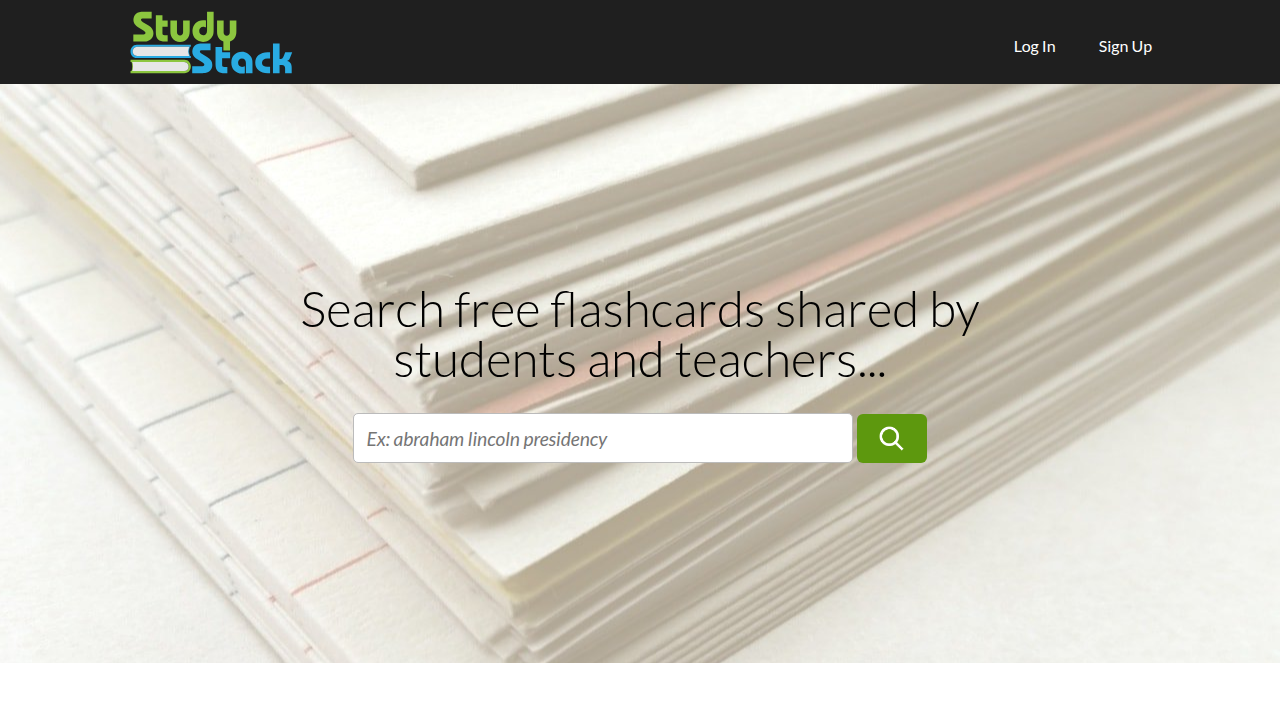
No bright colors, no recommended content, no news feeds. Just your cards and a clean workspace. For anyone who gets easily distracted by busy screens, this design alone helps you stay on track.
But the real difference is Focus Mode. When you turn it on, StudyStack blocks other browser tabs and desktop notifications during your study session.
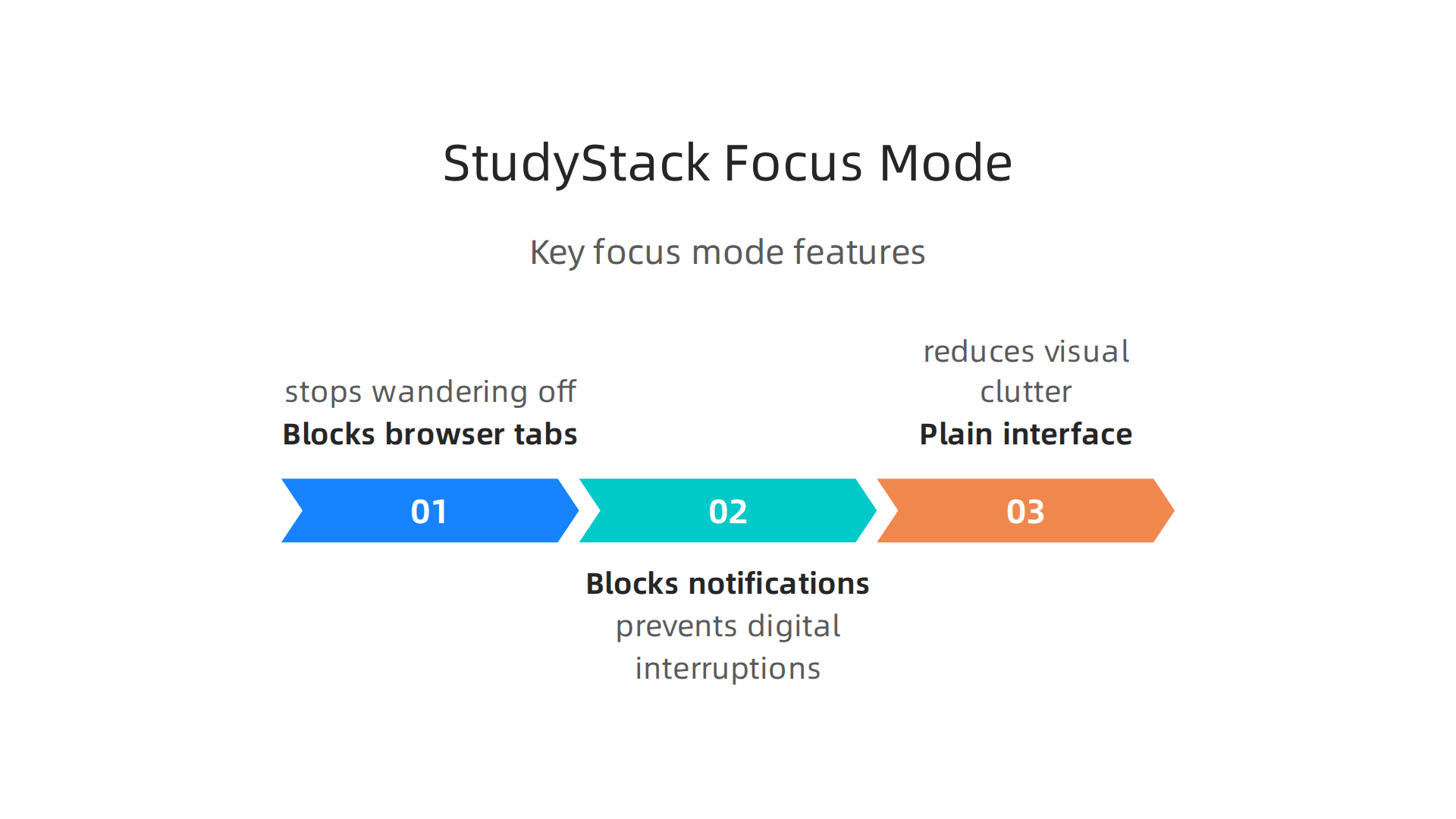
You cannot open a new tab without leaving the mode. This simple barrier stops you from wandering off to social media or random searches. It is like putting blinders on your browser.
The best part? The Focus Mode version is completely free with no ads. Many flashcard apps push paid upgrades or show ads that break your flow. StudyStack keeps everything clean and affordable, which makes it one of the best choices for students who struggle with attention difficulties.
This approach fits perfectly with the philosophy of Cal Newport’s digital minimalism philosophy. By removing all extra digital noise, you let your brain focus on one thing at a time. And if you want to strengthen your self-control even more, learning to break the open app habit can help you apply the same idea outside of flashcard study.
StudyStack proves you do not need fancy features to learn well. Sometimes you just need a tool that gets out of your way and helps you stay in the zone.
Concentration improves when attention has authority. If you want a tool that respects your focus, give StudyStack’s Focus Mode a try. Reclaim Your Focus and see how much more you can retain.
6. Memrise – Immersive Learning Through Native Speaker Videos
Memrise takes a different approach. Instead of just showing you text on a card, it adds real video clips of native speakers saying the word or phrase. This creates a multimodal learning experience that keeps your brain more engaged.

Hearing the correct pronunciation while seeing the word in context helps you remember better. It also makes studying feel less like a chore. You get to see how real people talk, not just textbook examples.
Memrise uses a spaced repetition algorithm that adjusts to your performance. If you keep getting a word wrong, the app shows it more often. If you master it quickly, you see it less. This keeps your study time efficient and prevents boredom.
The free version offers a lot of content for language learners. You can study vocabulary, phrases, and grammar across many languages. Premium unlocks more features, but the free tier already gives you a strong head start.
Engaging multiple senses improves concentration. Watching video clips while listening and reading keeps your mind from wandering. This makes Memrise a great free flashcard app for anyone who struggles to stay focused during language study. The gamelike progress system also builds motivation by showing your streaks and scores. Research on intrinsic motivation in gamified learning confirms that seeing your own progress keeps you coming back.
If you want to understand how gamification changes your brain’s focus response, check out The Science of Gamification white paper. It explains the behavioral mechanism behind why tools like Memrise work so well for concentration.
For more tools that build your focus through structured learning, visit our guide to free flashcard apps that boost concentration in 2026.
7. TinyCards (by Duolingo) – Bite-Sized Microlearning on the Go
You know those five-minute gaps during your day. Waiting for coffee, riding the bus, standing in line. TinyCards turns those small moments into actual learning time.
Built by the Duolingo team, this free flashcard app breaks down any topic into tiny card sets you can finish in a few minutes. Instead of overwhelming your brain with a huge deck, you get small bites you can actually digest. This approach reduces cognitive load, meaning your brain doesn’t get tired as fast.
The app uses spaced repetition just like the bigger tools. Cards you struggle with come back more often. Cards you know well fade into the background. This keeps your study time efficient and your memory sharp.
What makes TinyCards special is how it uses gamification to build a daily habit. You earn streaks for studying each day, and seeing that number grow makes you want to come back tomorrow. Research shows that gamified progress tracking boosts motivation by giving you clear visual feedback. A study on microlearning research and best practices found that bite-sized study sessions can improve retention by up to 80% compared to long cram sessions.
TinyCards is completely free with no ads. That is rare in the flashcard world. It also connects directly to Duolingo courses, so language learners can review vocabulary from their lessons in flashcard form.
If you want to study while reading on the go, using a kindle download for pc lets you switch between reading and reviewing flashcards on the same device. And if you prefer listening, librivox audiobooks free can help you absorb content while you quiz yourself with TinyCards. The combination of reading, listening, and quizzing gives your brain multiple ways to lock in information.
For readers using the kindle colorsoft, pairing it with a quick TinyCards session before you start reading can warm up your brain for deeper focus.
TinyCards proves that small, consistent efforts beat long study marathons. Concentration improves when attention has authority. For more tools that build focus through structured study, check out our guide to free flashcard apps that boost concentration and retention.
8. GoConqr – Integrated Learning Ecosystem with Mind Maps and Quizzes
TinyCards proves that short sessions work wonders. But sometimes you need a bigger toolbox. That is where GoConqr comes in. It combines flashcards, mind maps, quizzes, and notes all in one place. Instead of switching between four different apps, you get everything in a single dashboard.
This setup cuts down on mental clutter. When your learning materials live in one spot, your brain does not waste energy bouncing between tools. You can create a flashcard set, turn it into a quiz, and link it to a mind map that shows the big picture. That connected workflow helps you see how ideas fit together, which makes information stick.
GoConqr’s free flashcard app tier is generous. You get access to millions of user-created resources without paying. You can also build your own decks from scratch. Research shows that user-generated digital flashcards yield better learning than premade ones, because the act of creating cards forces your brain to process the material first. That fits perfectly with GoConqr’s approach.
Social features add another layer. You can share your study sets, join groups, and quiz classmates. Studying with others keeps you accountable. Knowing someone else is reviewing the same material can push you to stay on track.
If you want to reduce tool-switching and build a focused study routine, start by learning how to organize your apps for better focus. That skill pairs well with GoConqr’s all-in-one design.
For a deeper look at how structured reinforcement can sharpen attention, check out U.S. Patent No. 12,205,176. It describes a system designed to strengthen learning through repetition and reward, similar to what GoConqr does with its quiz and flashcard features.
Summary
This guide evaluates the best free flashcard apps in 2026 with a focus on tools that actually improve concentration and long-term retention. It explains why digital distraction makes study harder, reviews leading apps (Anki, Quizlet, Brainscape, Cram.com, StudyStack, Memrise, TinyCards, and GoConqr), and shows how each uses proven techniques like spaced repetition, confidence-based review, gamification, focus modes, and multimodal content. You’ll learn which apps suit different study needs—quiet algorithmic review, social gamified practice, quick mobile microlearning, or an all-in-one study ecosystem—and which free tiers are generous enough for most learners. The article also offers practical tips for reducing interruptions, organizing your app library, and turning short sessions into lasting memory gains so you can study smarter, not harder.