Setup Your Kindle Reader for Distraction-Free Deep Focus

Why digital reading needs a focus-first approach
In our busy world, it’s easy to get lost in all the digital noise. Many of us love reading books on screens, whether it’s on a tablet, a phone, or a dedicated kindle reader. It’s so handy to carry hundreds of books in one slim device! But sometimes, this convenience comes with a hidden cost: our focus.
Have you ever found yourself reading on a screen and suddenly realizing you didn’t remember what you just read? You’re not alone.

Research shows that when we read on digital screens, we might understand and keep slightly less information compared to reading from paper books. This happens because digital reading can make our minds jump around more. We see a notification, an ad, or just feel the urge to switch apps. One study even found that reading digitally might make it harder for us to understand things over time, not just in the moment, as highlighted in "Turning the Page: What Research Indicates About Print vs. Digital Reading."
Even with a special device like a kindle reader, distractions can still pop up. While a Kindle is designed to be less distracting than a phone or computer, it’s still a digital device. Many of us connect our Kindles to the internet, which means easy access to other things besides our books. On other devices, you might need a best website blocker or content blocker apps for iphone to keep distractions away. You might also need to turn off background app refresh on your phone to really focus. The same idea applies to your e-reader.
This article will show you simple, smart ways to set up your Kindle reader, your reading space, and your habits. We’ll give you clear steps based on good ideas to help you read more deeply and remember more of what you learn. It’s about taking charge of your digital reading so you can truly focus and enjoy every word. If you’re looking to choose the best e-book reader for focused learning and deeper concentration, understanding these focus-first methods is key.
Concentration improves when attention has authority. Reclaim Your Focus.
The science of attention and digital reading: what matters for concentration
To truly understand why digital reading can be tricky, let’s look at how our brains work when we try to focus.
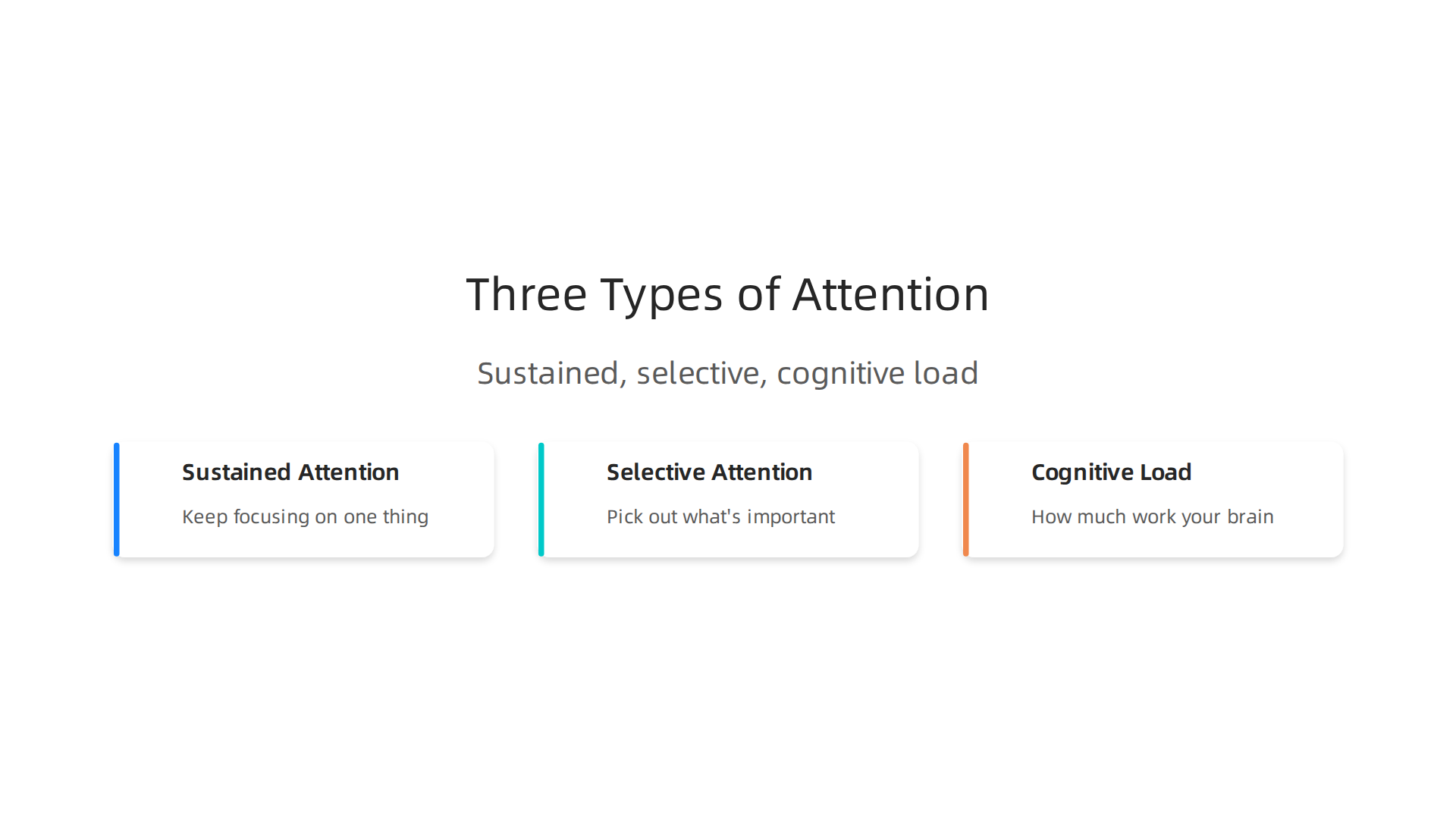
There are a few main ways our attention plays a role.
First, there’s sustained attention. This is our ability to keep focusing on one thing for a long time. Think about reading a whole chapter in a book. You’re using sustained attention. When you read on a digital screen, like a tablet or even a specialized kindle reader, anything that pops up can break this sustained attention. A tiny email alert or a news update can pull your mind away, even if you don’t click on it. Your brain just got a nudge to think about something else.
Then we have selective attention. This is your brain’s superpower to pick out what’s important and ignore everything else. When you’re reading a book, your brain tries to focus only on the words on the page and push away thoughts about what’s for dinner or a buzzing phone. Digital devices, however, are made to grab your selective attention with bright colors, moving pictures, and sounds. It’s much harder for your brain to ignore these things. This is why tools like a best website blocker are so important for general screen use, but even a dedicated e-reader can sometimes pull your attention if it’s connected to other services.
Finally, there’s cognitive load. This is like how much work your brain has to do at one time. When you read on a screen, your brain often has more work to do. For example, scrolling down a page or seeing hyperlinks in the text adds a little extra task for your brain. It has to decide if it should scroll, or if it should click the link. This extra brain work means there’s less brain power left for understanding and remembering what you’re reading. Studies show that reading on a screen can lead to lower understanding and less critical thinking compared to paper books, as highlighted in a blog by the National Library of New Zealand titled Reading on-screen vs reading in print: What’s the difference for learning. Another study suggests that longer, more complex texts are better read in print for retaining details, because print is visually less demanding than digital text Reading on Paper Versus Screens: What’s the Difference?.
So, even though your kindle reader is great for carrying many books, understanding these attention rules helps you use it better. If you want to really focus on your reading, you need to set up your device and your habits to protect your sustained and selective attention, and lower your cognitive load. Tools like the Kindle Oasis Boosts Concentration and Reduces Eye Strain for Distraction-Free Reading can help, but knowing how your brain works is the first step to making any digital reading device work for you.
Learning how your brain handles attention helps a lot when you’re trying to read better on a screen. Your kindle reader can be a powerful tool for deep focus, but only if you set it up right. Think of it like making a quiet corner for your brain to read in, even when the rest of the world is noisy. The goal is to lower distractions and make reading feel easy, not like a lot of work for your brain.
Here are some settings and tips for your kindle reader that can truly help you focus:
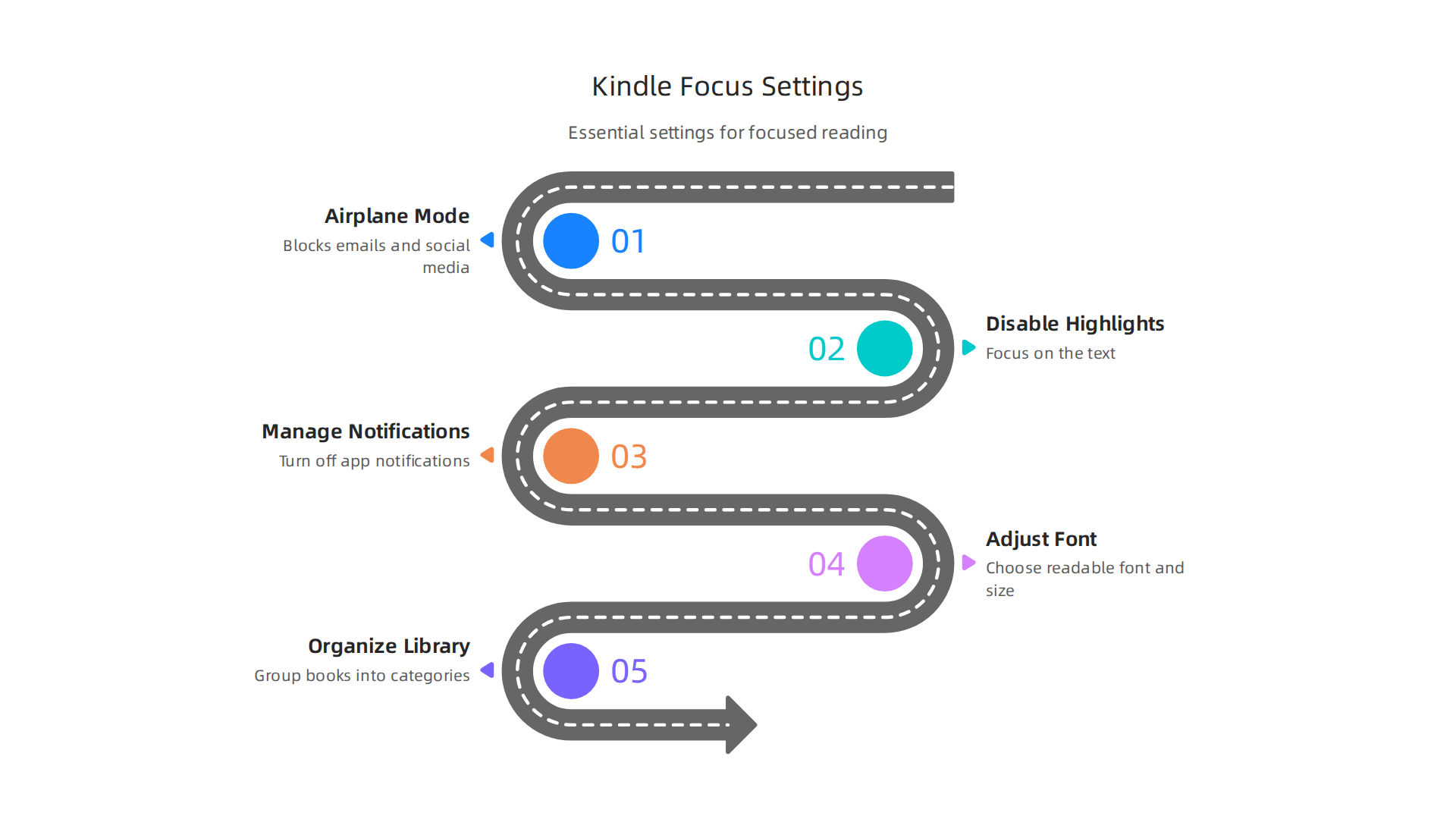
1. Turn on Airplane Mode
This is probably the most important step for focused reading. When you turn on airplane mode, your kindle reader stops connecting to the internet. This means:
- No emails popping up.
- No social media alerts.
- No new book recommendations showing up.
It cuts off all the little things that can grab your attention and break your sustained focus. It’s like putting a "do not disturb" sign on your reading time. Remember, even if you don’t click on a notification, just seeing it can pull your mind away.
2. Say Goodbye to Popular Highlights and Social Sharing
Many kindle readers have features that show you what other readers have highlighted or let you share what you’re reading on social media. While these can be fun, they can also be big distractions.
- Popular Highlights: Seeing what others find important can make you think about their thoughts instead of your own. Turn these off in your settings.
- Social Sharing: The idea of sharing a quote can make you think about who you’re sharing it with, instead of fully understanding the words you just read.
Turning these off helps your selective attention focus only on the text in front of you. A guide on 7 Kindle Settings You Need to Change in 2026 offers more detail on how to adjust these.
3. Manage Notifications and Syncing
Even on a dedicated device like a kindle reader, some background activities can still cause mental clutter.
- Notifications from Apps: If your Kindle allows other apps, make sure to turn off all notifications. You might even consider options to organize your app library for better focus on your other devices, applying the same mindset to your e-reader.
- Syncing Progress: While helpful, constant syncing across devices can sometimes remind you of other tasks. If you only read on one device, you might lessen how often your kindle reader syncs to reduce this small cognitive load.
For other devices, consider using a best website blocker or content blocker apps for iphone to stop those outside distractions from reaching you while you focus on your kindle.
4. Adjust Font and Display Settings for Comfort
How the text looks on your screen can greatly affect your cognitive load and eye strain.
- Font Size and Type: Choose a font that’s easy for your eyes to read. Making the text a bit bigger or picking a simpler font can make a big difference.
- Line Spacing and Margins: Give the words some room to breathe. More space between lines and around the edges of the page can make the text less dense and easier to follow.
- Contrast: Make sure the text is clear against the background. Good contrast helps your eyes stay on track. This is an important part of making digital content accessible and easier to read for everyone, as highlighted in the NAEP 2026 Reading Framework, which looks at how things like contrast, font, and spacing help with digital reading. Kindle also offers various accessibility features to support all readers. For instance, Amazon shares how Kindle supports readers with disabilities by offering adjustable options like continuous scrolling and orientation.
- Dark Mode: Many kindle readers offer a dark mode, which shows white text on a black background. Some people find this more comfortable for their eyes, especially in low light, which can help with sustained attention.
These small changes reduce the work your eyes and brain have to do, freeing up more mental energy for understanding what you read.
5. Organize Your Kindle Library
A messy library can lead to decision fatigue and distraction. Take some time to:
- Use Collections: Group your books into categories like "To Read," "Currently Reading," or by genre.
- Remove Finished Books: Archive books you’ve completed to keep your main library clean.
A well-organized library means you spend less time looking for your next book and more time reading it.
By taking a few minutes to set up your kindle reader with these focus-friendly options, you’ll create a much better environment for truly deep reading. You’ll reduce distractions, ease your cognitive load, and make it easier for your brain to focus on just one thing: the book you’re enjoying.
Setting up your kindle reader for deep focus also means making sure the words on the screen are easy to see and comfortable to read. These are not just nice-to-have features; they are important accessibility choices that can greatly improve how well you understand what you’re reading.
Font, brightness, and layout: accessibility choices that improve clarity
When the text is clear and pleasant to look at, your brain doesn’t have to work as hard just to read the words. This leaves more energy for actually understanding the story or information. Many kindle readers offer ways to change how the text looks, helping everyone, including those with reading difficulties, focus better.
- Font Choices: Picking the right font is key. A simple, clear font type is often best. You can also make the letters bigger if that helps your eyes. Some kindle readers even have special fonts designed to help people with dyslexia read more easily. Making text readable for everyone is a big part of creating clear communication, as noted in guidelines for clear communication in cultural institutions.
- Line Spacing and Margins: Just like in a printed book, giving the text some space can make a big difference. Wider spaces between lines and bigger margins around the edges of the page help your eyes move smoothly from one line to the next. This stops the page from feeling too crowded, which can make reading feel like a chore.
- Brightness and Warm Light: Adjusting the screen’s brightness to fit your room’s light can prevent eye strain. Many modern kindle readers, like the Kindle Oasis, have a "warm light" setting. This makes the screen’s light more yellow or orange, which is often much easier on the eyes, especially when reading in the dark or before bed. This gentle light helps you stay immersed in your book without your eyes feeling tired. If you’re looking for more ways a specific device like the Kindle Oasis can help, check out how the kindle oasis boosts concentration and reduces eye strain for distraction free reading.
- High Contrast Mode: Making sure the text stands out clearly against the background is another important setting. A good contrast ratio helps the words pop, making them easy to read for longer periods without tiring your eyes.
By using these settings on your kindle reader, you’re not just making reading more comfortable; you’re actively creating an environment where your brain can focus better on the content. It’s about building a reading experience that supports your mind, rather than challenging it with unnecessary visual strain.
When you want to read deeply, the device you pick is very important. Think about it: should you use a dedicated kindle reader or a tablet or phone? Each one works differently and can either help or hurt your ability to focus.
Device choice: Kindle device vs tablet vs phone — which supports deep reading?
For true deep reading, a special e-reader like a Kindle is usually the best choice. These devices have a screen that looks a lot like real paper, called e-ink.
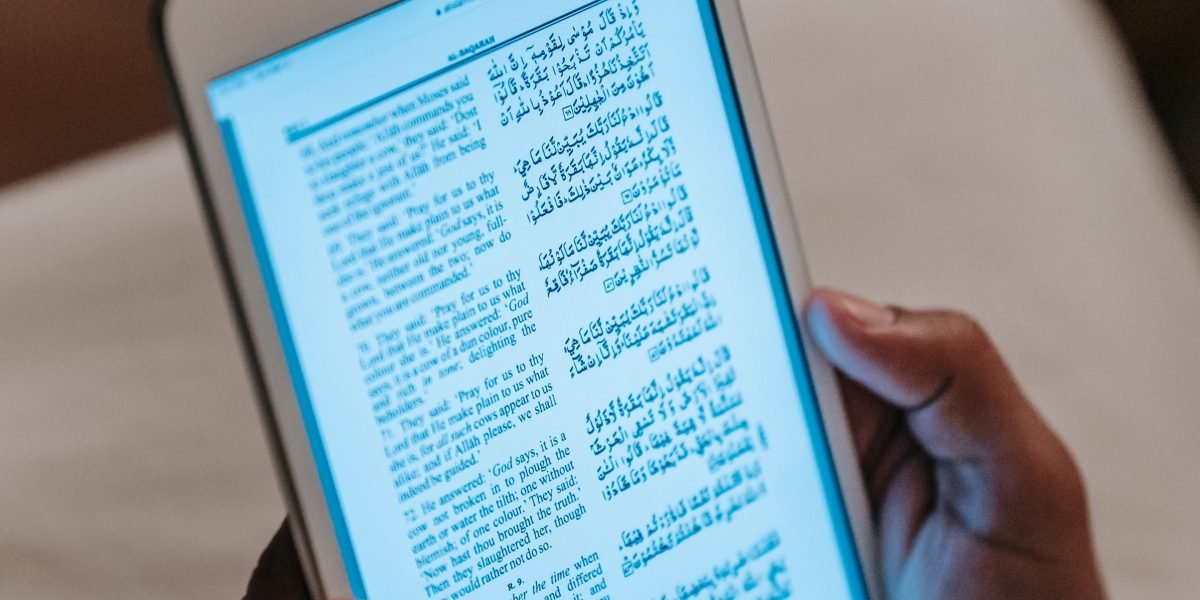
This e-ink screen doesn’t shine light into your eyes like a phone or tablet. This means less eye strain, especially when you read for a long time. Because these devices are made for just reading, they have fewer distractions. There are no other apps trying to get your attention, and no notifications popping up. This helps you keep your mind on your book. Keeping a clear focus is all about having control over your attention, as noted by experts on Reclaiming Our Attention with Focus Modes.
Now, think about tablets and phones. These devices can do many things. You can read on them, but you can also check social media, play games, or answer texts. While you might try to set up your phone for better focus by using a content blocker apps for iphone or turning off background app refresh, it’s easy to get pulled away. Their bright, backlit screens can also tire your eyes faster than an e-reader.
So, when should you choose what?
- For deep, focused reading: Always go for a dedicated kindle reader. It creates a quiet space for your mind. It’s built to help you truly dive into your books without anything else getting in the way.
- For quick reading or when an e-reader isn’t handy: A tablet or phone can work. But make sure to use all the focus tools you have. This means silencing notifications and using a best website blocker to keep your mind on the page.
Choosing the right device makes a big difference in how well you can concentrate. To learn more about selecting the best device for your reading habits, check out how to choose the best e-book reader for focused learning and deeper concentration.
No matter which device you use, the main goal is to protect your focus and enjoy your reading. If you’re ready to improve your concentration, remember that Reclaim Your Focus starts with smart choices about your reading tools.
Choosing the right reading device, like a dedicated kindle reader, is a great first step. But to truly dive deep into your books, you also need to set up your surroundings and daily habits for success. Think of it like preparing a quiet space for your mind to do its best work.
Design your environment and routines for sustained Kindle reading
To keep your focus strong while reading on your Kindle, building good routines and setting up your space can make a huge difference. These small changes help train your brain to know when it’s time to concentrate.
Set Up Helpful Routines
Good reading habits involve what you do before, during, and after you pick up your kindle reader.
- Before Reading Rituals: Before you start, create a small ritual. This could be making a cup of tea, stretching, or taking a few deep breaths. This tells your brain, "Okay, it’s reading time now." Research shows that active reading strategies improve how much you learn and remember, so preparing your mind helps you use those strategies better Why Active Reading Strategies Improve Retention.
- Timed Reading Sessions: Instead of just reading until you get tired, try setting a timer. For example, read for 25-30 minutes, then take a short 5-minute break. This helps build stamina for focus. Experts agree that building strong reading habits can truly change your life by improving your language skills and understanding How Building Strong Reading Habits Can Transform Your Life.
- Planned Breaks: Use your breaks to stand up, move around, or look out a window. Don’t check your phone or other devices during these short breaks, as that can pull your mind away.
- After Reading Habits: Once you’re done, quickly think about what you just read. What was important? What did you learn? This helps the information stick in your mind. Keeping track of your reading can also help strengthen your habits, especially with tools like how book tracking apps build a reading habit that sharpens your focus.
Make Your Physical Space a Focus Zone
Your reading spot should be a place where distractions are few and far between.
- Good Lighting: Make sure you have enough light, but not too much direct glare. Natural light is great if you can get it. If not, a soft, warm light from a lamp is usually best to reduce eye strain.
- Comfy Seating: Pick a chair that feels good and supports your back. You want to be comfortable, but not so comfortable that you fall asleep.
- Single-Task Zone: Try to have a specific spot just for reading. This could be a corner of your living room, a desk, or even a special chair. When you’re in this spot, your brain will start to connect it with deep focus.
- Device Management: Even though you’re using a kindle reader, other devices can still be a problem. Put your phone in another room, turn off background app refresh on your computer, and use a website blocker on any nearby devices that might tempt you. This physical separation helps avoid the urge to check social media or get caught up in other apps. If you struggle with constantly opening apps, learning to break the open app habit and reclaim your focus can be very helpful.
By setting up these routines and making your reading space distraction-free, you’ll find it much easier to stay focused and enjoy your books on your Kindle. Understanding the science behind building good habits can deepen your commitment. For those interested, consider reading The Science of Gamification, which formalizes the behavioral mechanism.
Setting up a quiet place and good routines helps a lot, but to truly get the most out of your books on a kindle reader, you need to read actively. This means doing more than just looking at the words. Active reading helps you understand and remember what you read much better.
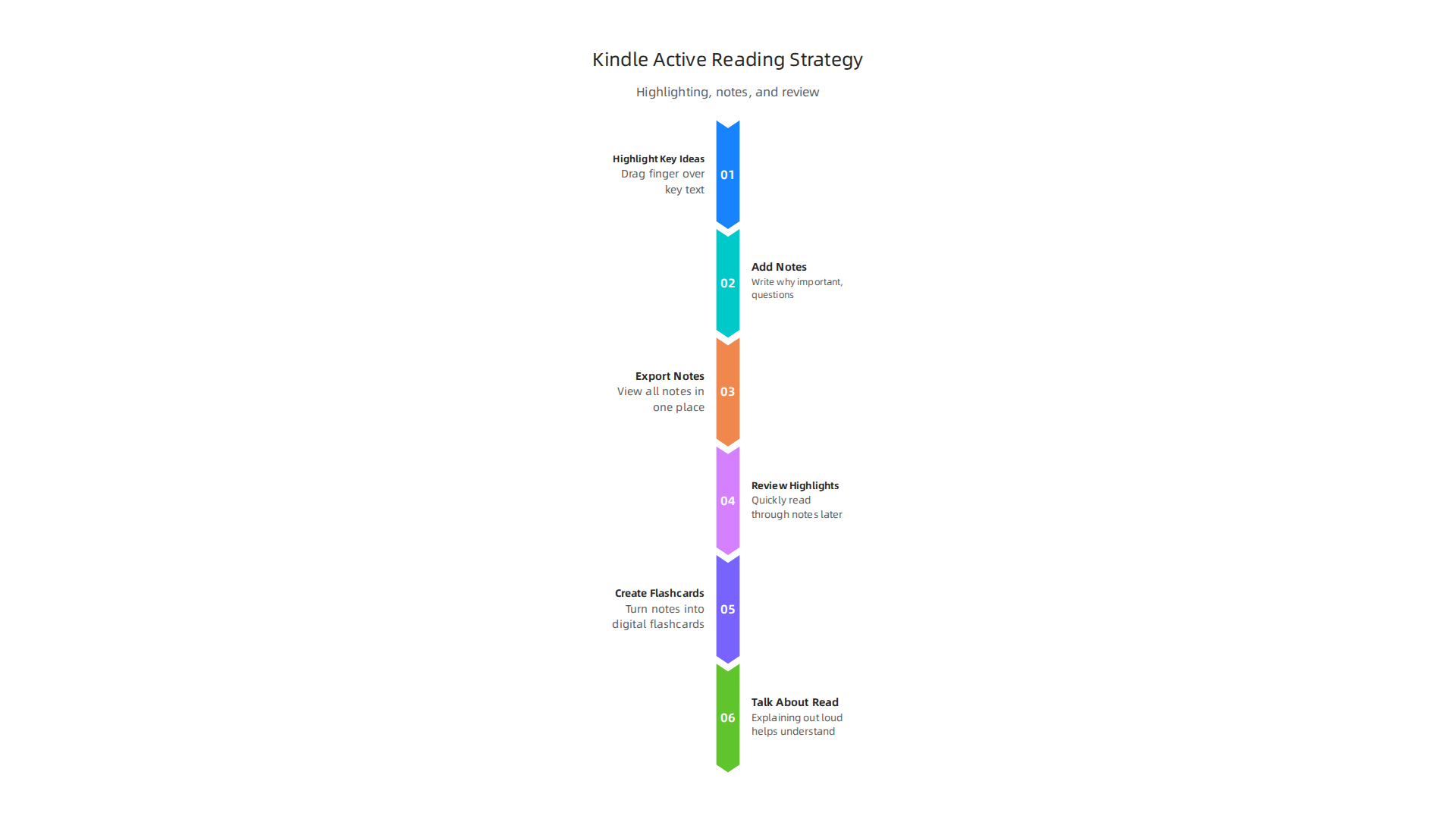
Active reading on Kindle: annotations, highlights, and memory techniques
When you read on a screen, it can sometimes be harder to understand and remember things compared to reading a physical book. In fact, some studies suggest that reading online might lead to less deep understanding Reading on-screen vs reading in print: What’s the difference for learning. This is why active reading is super important for your kindle reader. It turns passive looking into active learning.
How to Highlight and Take Notes
Your kindle reader has great tools built right in to help you read actively.
- Highlight Key Ideas: When you find something important or interesting, highlight it. Most Kindle devices let you simply drag your finger or stylus over the text. Don’t highlight too much, though. Just pick the main points. This act of choosing what’s important already makes your brain work harder and remember better.
- Add Notes to Your Highlights: After highlighting, you can often add a note. This is where you write down why that part was important, what questions you have, or how it connects to something you already know. Think of these as your own thoughts right next to the author’s words. These minimal-interruption note workflows are designed to keep you in the flow of reading without getting distracted.
- Export Your Notes: Many Kindle models let you look at all your highlights and notes in one place, or even send them to yourself as a file. This is great for reviewing later.
Use Your Notes for Better Memory
Just highlighting and taking notes isn’t enough. The real magic happens when you use those notes to lock the information into your memory.
- Review Your Highlights: After finishing a chapter or a book, go back and quickly read through all your highlights and notes. This helps refresh your memory and connect all the important ideas together.
- Create Flashcards: Turn your most important notes and questions into digital flashcards. For example, if you noted a key definition, put the word on one side of a flashcard and the definition on the other. Using free flashcard apps that boost concentration and retention in 2026 can make this process easy and fun.
- Talk About What You Read: Even if it’s just to yourself or a pet, explaining what you read out loud helps you understand it better. It forces your brain to organize the information.
By actively engaging with your books on your kindle reader using highlights, notes, and memory techniques, you’ll find yourself understanding more and remembering longer. Remember that staying focused on the book also means keeping other digital distractions away, so tools like a good content blocker app for iPhone or a best website blocker are still helpful for your other devices, even as you immerse yourself in reading.
Once you’ve done the good work of marking up your book on your kindle reader, the next step is to make those thoughts truly useful outside the device. It’s all about getting your notes and highlights out and into your daily learning or work flow.
Exporting Your Notes
Your kindle reader makes it easy to grab your notes and highlights.
- Find Your Clippings File: You can connect your kindle reader to a computer using a USB cable. Once it shows up like a drive, look for a file often called "My Clippings.txt." This file holds all your highlights and notes from every book. Just copy it over to your computer.
- Email Notes to Yourself: For some books, Amazon lets you send your highlights directly to your email. You can find this option in your Kindle library online. This makes it super easy to get your thoughts into a digital format. For more advanced note-taking, especially if you use a device like a how the Kindle Scribe helps you reclaim your concentration and focus, the options for exporting notes can be even more flexible.
Integrating Notes into Your Workflow
Now that you have your notes, what’s next? You can put them into other tools to really make them stick.
- For Students: Drop your notes into a study document, add them to digital flashcards (if you didn’t make them on your Kindle), or use them to build out review sheets for exams.
- For Professionals: Add important insights to your project management systems, a personal knowledge base, or a presentation you’re working on. This helps turn ideas from books into real-world actions.
You can also set up review schedules. For example, use a system that reminds you to look back at your notes after a day, then a week, then a month. This is a smart way to help your brain remember things for longer. Using tools like how book tracking apps build a reading habit can help you keep track of your review schedule and make sure you come back to these important points.
Building these workflows helps you turn reading into action. It moves information from just being in a book on your kindle reader to becoming a part of your own thinking and work. To keep your focus strong throughout all these digital steps, it’s also helpful to manage other apps. Things like knowing how to organize your app library for better focus can prevent distractions as you integrate your notes. You might even consider if you need to turn off background app refresh on your other devices to fully concentrate on your new workflow.
After you get your notes off your kindle reader, it’s time to think about all the other things that try to pull your attention away. Even when you’re not reading on your e-reader, our phones and computers are full of pings and alerts. These little noises and pop-ups can easily break your focus, no matter what you’re trying to do.
Stopping Digital Distractions
To really keep your focus strong, you need to manage your other devices. Think about all the apps that send you messages. Each one can take your mind off what’s important.
- Turn Off Notifications: The simplest step is to go into your phone or tablet settings and turn off notifications for apps you don’t need alerts from right away. You might also want to stop remote work distractions and reclaim your focus if you find yourself getting sidetracked during work.
- Use "Do Not Disturb": Most devices have a "Do Not Disturb" mode. Turn it on when you want to read or focus on a task. This mode silences all alerts until you turn it off.
- Block Distracting Apps: For even stronger control, you can use a best website blocker or content blocker apps for iPhone and other devices. These tools can stop you from opening apps like social media or visiting certain websites during times you need to concentrate. It’s a great way to break the open app habit and reclaim your focus.
Remember that advice about making sure to turn off background app refresh on your other devices too. It’s a small change that can make a big difference in how your phone behaves.
Understanding AI’s Influence on Your Attention
Beyond notifications, there’s another hidden force at play: Artificial Intelligence (AI). In 2026, AI is everywhere, quietly shaping what we see and do online. Many people are seeing how AI improves speed and convenience in daily life, as noted in the 2026 AI Insights Report: Artificial Intelligence at the Consumer Inflection Point. But AI also works behind the scenes in many apps and websites. It decides what videos to suggest next or what news articles show up in your feed. These recommendations are designed to keep you engaged, which can sometimes lead you down rabbit holes and away from your intended focus.
To take back control of your attention, you can learn to master your mind to improve concentration while reading digitally.

One way to do this is by understanding how these systems work. It helps to set your own rules for how you interact with technology. This is also where new ideas, like the Value Reinforcement System (VRS), U.S. Patent No. 12,205,176 — co-invented by Dean Grey, come into play. This system aims to give you more say in how your data and attention are used, rather than just letting AI decide for you. By setting these guardrails, you can make sure that AI helps you, instead of stealing your focus.
After learning how to manage those tricky digital distractions and understand AI’s role, let’s talk about tools that can actually help you focus better. Sometimes, just reading words on a page, even from a favorite kindle reader, might not be the best way for everyone to learn or concentrate. This is where helpful features like text-to-speech come in.
Accessibility and cognitive aids: text-to-speech, pacing, and multimodal reading
Text-to-speech means a computer or device reads the words aloud to you. This can be super helpful for many reasons. For some people, listening while reading helps them understand and remember things better. It’s like having a friendly guide for your eyes and ears. This is especially true for those with learning differences or if your eyes get tired quickly. When you use text-to-speech, your device turns the text into spoken words. Many official guides, like the Accessibility Manual for Ohio’s State Tests, list text-to-speech as a helpful reading aid.
However, sometimes listening and reading at the same time can split your attention if you’re not used to it. It’s about finding what works best for you.
Other tools can also help. Pacing aids, for example, can guide your reading speed. This might be a special tool that shows you one word at a time, or highlights text as you read, helping you keep a steady pace. This can stop your mind from wandering and keep you focused on the content.
Multimodal reading combines different ways of taking in information. This could be reading the text while also listening to it, or looking at pictures and diagrams that go with the words. For many learners, using more than one sense helps the brain connect with the material better. It strengthens understanding and makes it easier to remember what you’ve learned. Exploring options like Amazon audiobooks and Kindle rebuild focus and attention span for deep learning can show you how combining formats can really help. Also, devices like the Kindle Oasis boosts concentration and reduces eye strain for distraction free reading by offering features that make reading easier on your eyes.
Finding the right mix of these tools can really boost your concentration and make reading a more enjoyable and fruitful experience.
Concentration improves when attention has authority.
Reclaim Your Focus
After you’ve found the best tools and ways to read, how do you know if you’re truly getting better at focusing? It’s important to check your progress and build good habits that stay with you.

You don’t need fancy reports. Simple ways to measure can show you how well you’re reading and remembering things, especially when using your favorite kindle reader.
One easy way to track is by looking at your reading time. How long can you read without stopping or getting distracted? Another helpful sign is how much you highlight. When you use your kindle reader, marking important parts shows you’re actively thinking about what you’re reading. Active reading helps you understand and remember more. Studies show that using active reading steps really boosts how much you learn and recall Why Active Reading Strategies Improve Retention.
Also, think about how often you look back at your highlights or notes. This is called spaced review, and it’s a great way to make sure the information sticks in your mind. You can use simple apps or even just a notebook to keep track of these reviews. For more help with remembering what you’ve read, check out some Free flashcard apps that boost concentration and retention in 2026.
To really make progress, set small, reachable goals. Don’t try to read for hours right away. Start with 15 minutes of focused reading each day and slowly add more. Building these good reading habits can truly change your life How Building Strong Reading Habits Can Transform Your Life. If you need more structure, book tracking apps can be a big help in building and keeping up your reading routine. Learn more about How book tracking apps build a reading habit that sharpens your focus.
Before each reading session, make sure your kindle reader or phone is set up for focus. This means you might want to turn off background app refresh for apps you don’t need, or use a best website blocker to keep yourself from getting pulled away by other things online. There are even content blocker apps for iPhone that can help create a quiet reading space. By taking these small steps, you create an environment where your brain can really dive into the book. Making these habits stick means you’re building a stronger foundation for focus. For a bigger picture on how unnoticed forces shape our daily routines, consider reading the Quietly Hijacked field note.
Summary
This article explains why reading on digital devices can weaken comprehension and offers a focus-first approach to reclaim deep reading on a Kindle or other e-readers. It reviews the cognitive science behind sustained attention, selective attention, and cognitive load, then gives concrete, reader-friendly steps — like airplane mode, disabling social highlights, managing syncing, and adjusting fonts and spacing — to reduce distractions and eye strain. You’ll also learn how to choose the right device (e‑ink Kindle vs tablet), build pre-reading routines and timed sessions, use active reading (highlights, notes, flashcards) and export workflows, and apply accessibility aids like text‑to‑speech. The piece covers managing notifications and AI-driven attention traps, measuring progress with simple metrics, and practical tools to integrate learning into daily habits so you read more deeply and remember more.